
How to Invert the Camera on Switch 2
▲ 100% Completion Checklist
▲ All Heart Pieces & Empty Bottle Locations
▲ Treasure Charts | Triforce Charts
▲ GameCube and Wii U Version Differences
▲ Upgrades ▶︎ Wallet | Magic Meter | Picto Box
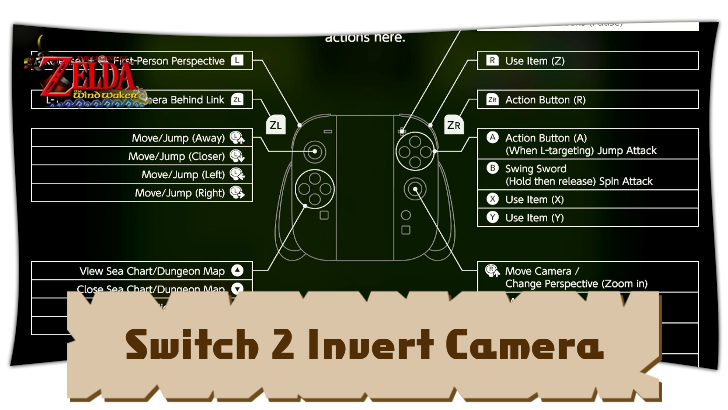
Swap the controls for the Right Stick to invert the camera settings for The Legend of Zelda: The Wind Waker on the Nintendo Switch 2. Learn more about how to invert the camera settings for the game here!
List of Contents
How to Invert the Camera on Switch 2
Change in Control Options
| 1 | 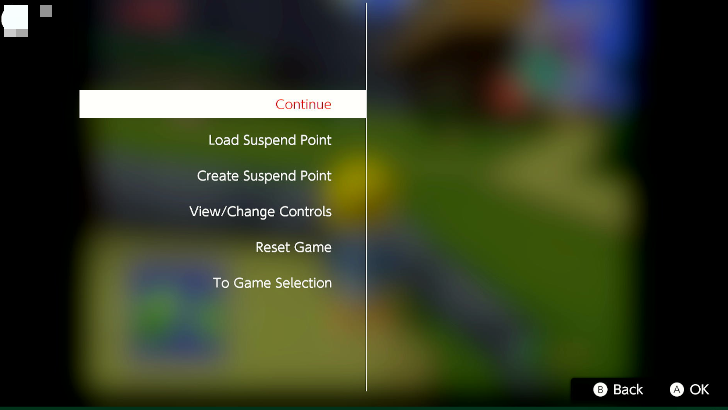 Press the - Button to suspend the game. |
|---|---|
| 2 | 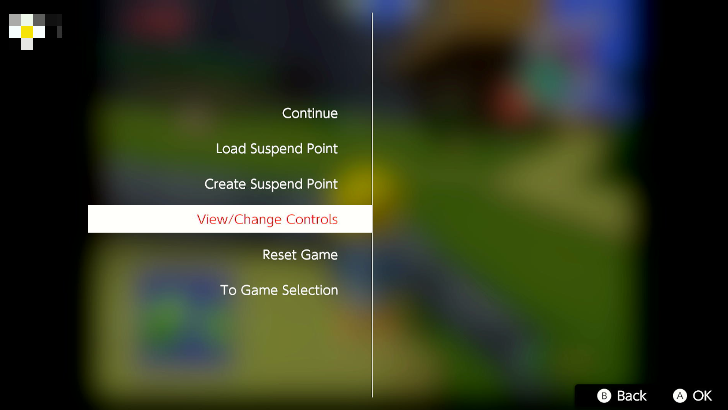 Scroll down to View/Change Controls, then choose Change Controls. |
| 3 | 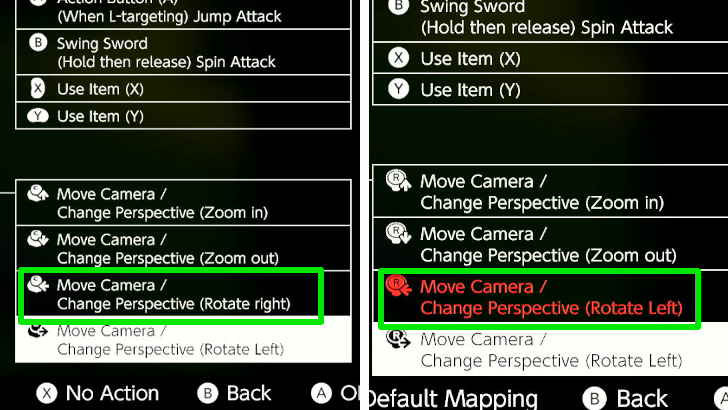 Select the Tilt Left Right Stick option, then set the new action to Tilt C-Stick Left. This will inverse the camera action when you tilt your controller's Right Stick to the left. |
| 4 | 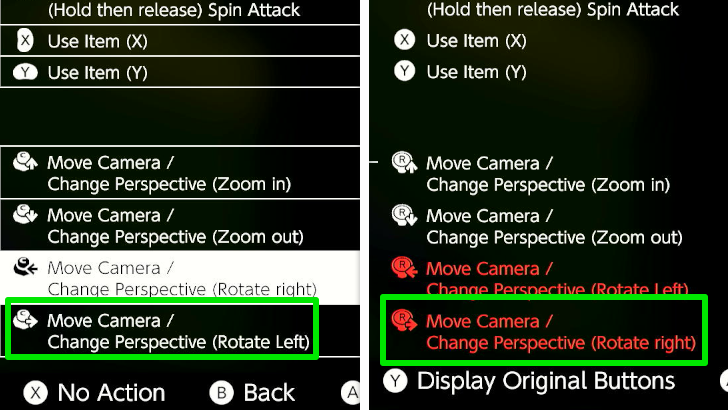 Select the Tilt Right Right Stick option, then set the new action to Tilt C-Stick Right. This will inverse the camera action when you tilt your controller's Right Stick to the right. |
| 5 | 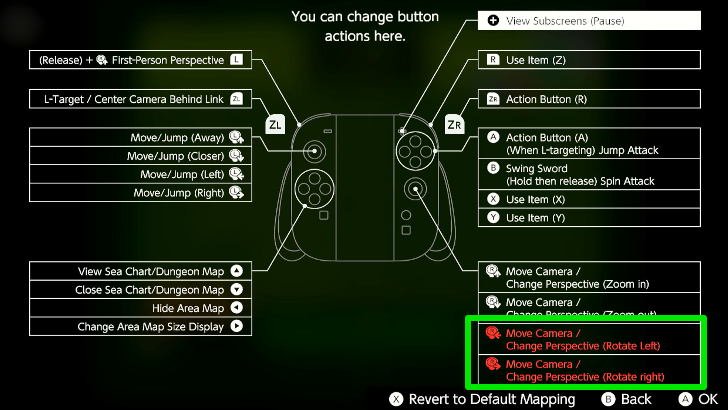 The actions for tilting the Right Stick to the left and right should now be highlighted in red, which indicates that the controls have been changed. |
| 6 | Go back to the menu and continue the game. |
You can change the camera controls for the Nintendo GameCube Classics app for the Nintendo Switch 2 in the control options for Wind Waker. You can remap the actions when you tilt the Right Stick to invert the camera for the game.
Setting Controls to Default
If you want to revert the controls back to the default configuration, head to View/Change Controls again, choose Change Controls, then press the X button to revert the controls to the original settings.
Should You Invert the Camera Controls?
Change Settings for Regular Controls
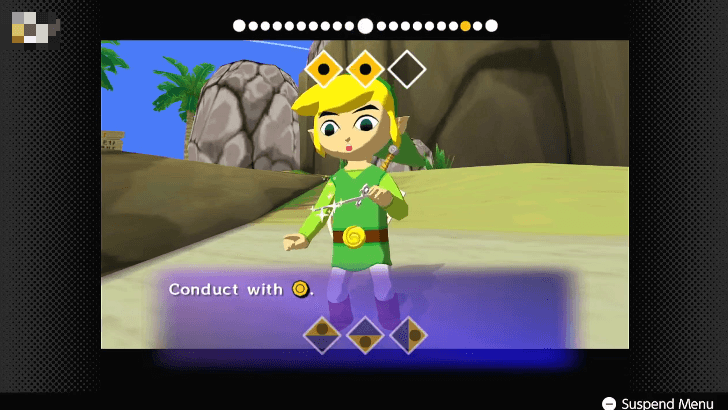
Wind Waker's inverted camera controls may cause disorientation as this may not be the controls that you are used to, so it is recommended to change the settings for regular gameplay.
Do note that swapping the camera controls will also invert how you can conduct the Wind Waker baton, as the item uses the right stick to input songs.
The Legend of Zelda: The Wind Waker Related Guides

Tips and Tricks for Getting Started
Tips and Tricks Guides
| Gameplay Tips | |
|---|---|
| Auction House Guide | Rupee Farming Guide |
| How to Upgrade the Magic Meter | How to Board the Ghost Ship |
| All Controls for Every Version | How to Activate the Ferris Wheel |
| How to Light the Lighthouse | - |
| Nintendo Switch 2 Tips | |
| How to Save on Switch 2 | How to Invert the Camera on Switch 2 |
Comment



Author
The Legend of Zelda: The Wind Waker Walkthrough & Guides Wiki
How to Invert the Camera on Switch 2

Rankings
- We could not find the message board you were looking for.
Gaming News





Popular Games

Genshin Impact Walkthrough & Guides Wiki
Umamusume: Pretty Derby Walkthrough & Guides Wiki
Crimson Desert Walkthrough & Guides Wiki
Monster Hunter Stories 3: Twisted Reflection Walkthrough & Guides Wiki
Honkai: Star Rail Walkthrough & Guides Wiki
Pokemon Pokopia Walkthrough & Guides Wiki
The Seven Deadly Sins: Origin Walkthrough & Guides Wiki
Wuthering Waves Walkthrough & Guides Wiki
Zenless Zone Zero Walkthrough & Guides Wiki
Arknights: Endfield Walkthrough & Guides Wiki










Recommended Games
Fire Emblem Heroes (FEH) Walkthrough & Guides Wiki
Diablo 4: Vessel of Hatred Walkthrough & Guides Wiki
Cyberpunk 2077: Ultimate Edition Walkthrough & Guides Wiki
Yu-Gi-Oh! Master Duel Walkthrough & Guides Wiki
Super Smash Bros. Ultimate Walkthrough & Guides Wiki
Pokemon Brilliant Diamond and Shining Pearl (BDSP) Walkthrough & Guides Wiki
Elden Ring Shadow of the Erdtree Walkthrough & Guides Wiki
Monster Hunter World Walkthrough & Guides Wiki
The Legend of Zelda: Tears of the Kingdom Walkthrough & Guides Wiki
Persona 3 Reload Walkthrough & Guides Wiki










All rights reserved
© Nintendo. The Legend of Zelda and Nintendo Switch are trademarks of Nintendo.
The copyrights of videos of games used in our content and other intellectual property rights belong to the provider of the game.
The contents we provide on this site were created personally by members of the Game8 editorial department.
We refuse the right to reuse or repost content taken without our permission such as data or images to other sites.