
 Heart Piece Locations
 All Nintendo Gallery Figurines
 Is Wind Waker on Switch?
 Savage Labyrinth Guide
 List of All Dungeons
 All Upgrades and How to Obtain Them
 All Great Fairy Locations
 All Big Octo Locations
 All Lookout Platform Locations
 Best Controllers
 100% Completion Guide


This survey will take about 1 minute.
Your answers will help us to improve our website.
The Legend of Zelda: The Wind Waker
GameCube and Wii U Version Differences
▲ 100% Completion Checklist
▲ All Heart Pieces & Empty Bottle Locations
▲ Treasure Charts | Triforce Charts
▲ GameCube and Wii U Version Differences
▲ Upgrades ▶︎ Wallet | Magic Meter | Picto Box
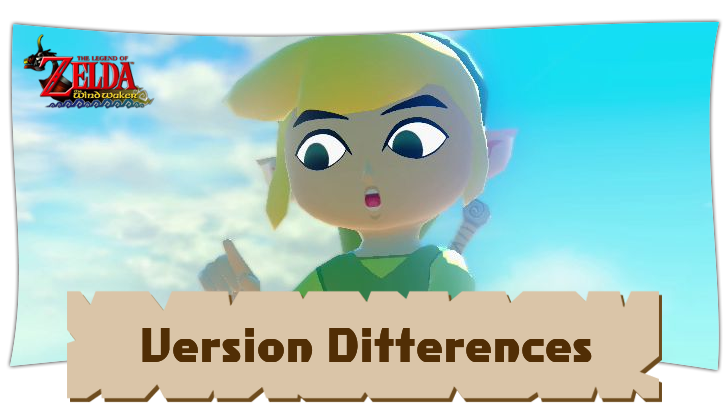
The GameCube and Wii U versions of The Legend of Zelda: The Wind Waker differ in graphics, quests, and quality of life adjustments. Read on to learn more about the differences between the different console versions!
List of Contents
GameCube and Wii U Version Differences
Wii U has HD Graphics
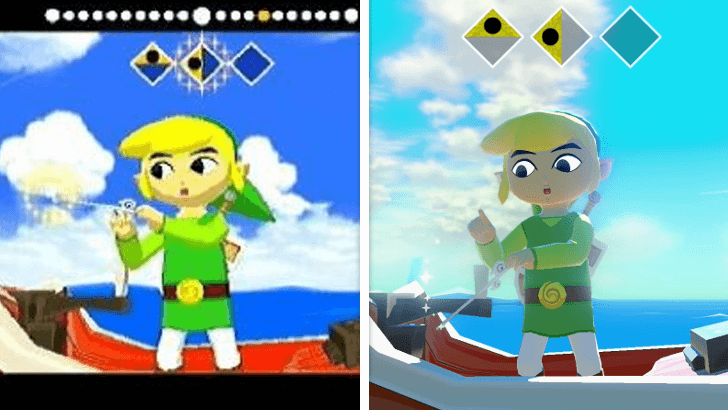
Since the Wii U version is a remaster of Wind Waker, you can expect higher definition (HD) graphics compared to the low-poly style of the GameCube. This also comes with smoother animations, improved shadows and lighting, along with better optimization for certain actions like swinging using the grappling hook or combat.
Addition of Hero Mode, Available from the Start
The Hero Mode is a new addition to the HD version, and provides a more difficult experience for Wind Waker. You will take double damage from enemies and cannot obtain hearts from enemies or objects.
Hero Mode will already be available from the start in Wind Waker HD. This mode allows you to take on the increased challenge immediately.
Initial Wallet Size is Increased
The initial wallet size has increased for the HD version. Instead of 200 Rupees, the wallet can hold 500 Rupees from the start of the game. This allows you to pay Tingle to decipher the Triforce Charts without upgrading your wallet.
Rupee Farming Guide: Best Way to Get Rupees
Picto Box Improvements
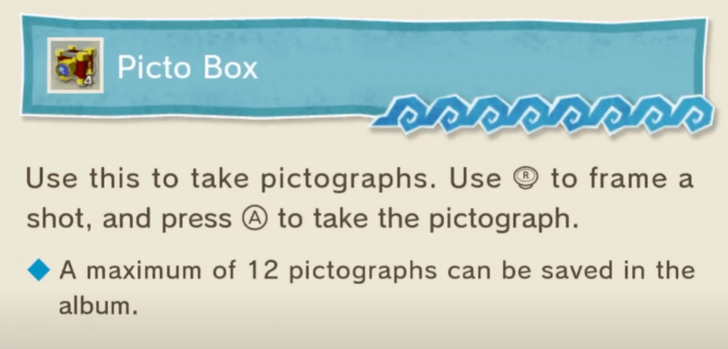
You can take pictures in Wind Waker using a device called the Picto Box, which you find in a chest in Tingle's jail cell. However, it will only take pictures in black and white.
In the original GameCube version, you will need to complete Lenzo's picture quests, then bring him a Forest Firefly to upgrade the Picto Box into a Deluxe Picto Box, which can take pictures in color.
However, the Wind Waker HD skips over the last step, and you can get the Deluxe Pictobox after completing Lenzo's quest without needing to capture a Firefly.
Pictograph Quest Guide and Rewards
Deluxe Pictobox Can Carry 12 Pictures in the Wind Waker HD
In Wind Waker HD, the Deluxe Pictobox can carry up to 12 pictures instead of the 3. This will be extra helpful later on when you start bringing pictures for Carlov to create sculptures for his gallery.
Sail Functions Differently
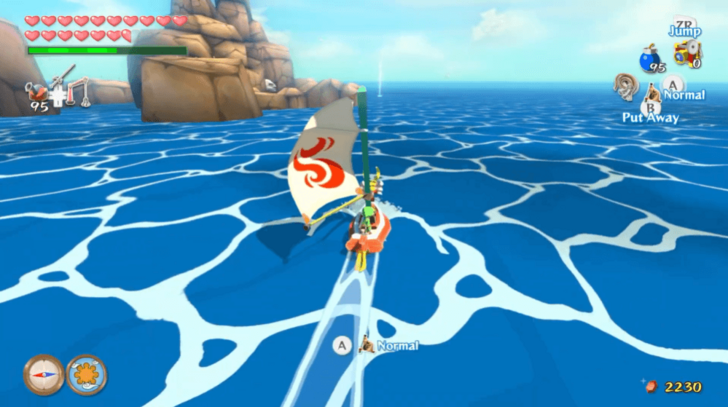
In the original version of the game, you must equip the Sail before using it. The HD version changes this, making the Sail an item that can be automatically toggled.
Rescue Tingle Before Acquiring the Sail in Wind Waker HD
In Wind Waker HD, you must rescue Tingle before purchasing the Sail. This differs from the original, where you can skip rescuing him early on.
Use the Swift Sail to Navigate in the Wind Waker HD
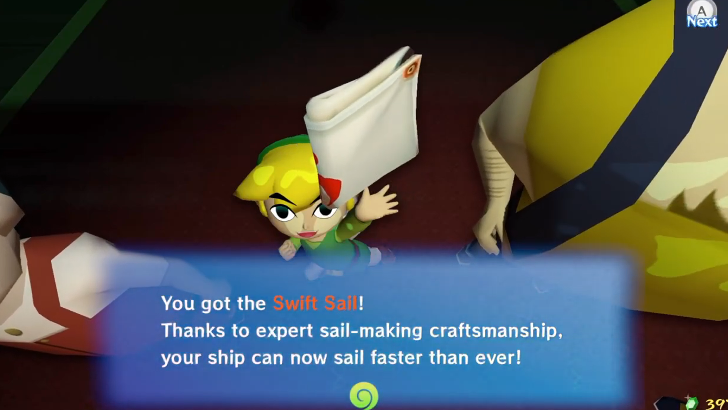
Wind Waker HD has the Swift Sail item available at the Windfall Auction. Once you get it, the Swift Sail helps you traverse the Great Sea faster and will automatically change according to the direction of the wind, making exploration a lot less tedious.
Wind Waker Functions Differently
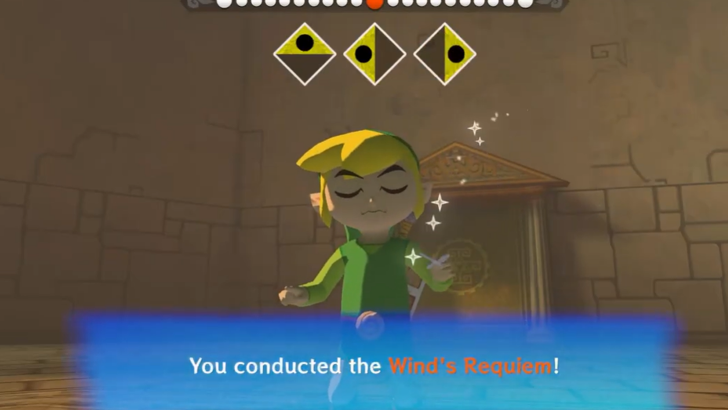
In the original version of the game, you must equip the Wind Waker before using it. The HD version changes this, making the Wind Waker always mapped to the Up on the D-Pad.
The notes also don't start playing automatically in the HD version. The rhythm will only begin once you hold a direction.
All Controls for Every Version
No Mini Map in Wind Waker HD
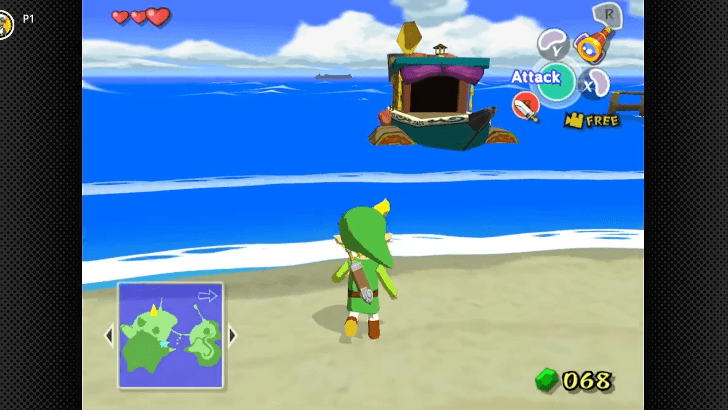
The original version of Wind Waker has a mini map in the lower left corner of the screen when you are walking in the overworld or in a dungeon. Wind Waker HD does not have this. You will have to check the map in the menu to see your location.
Sea Chart: All Islands in the Great Sea
No Tingle Tuner in Wind Waker HD
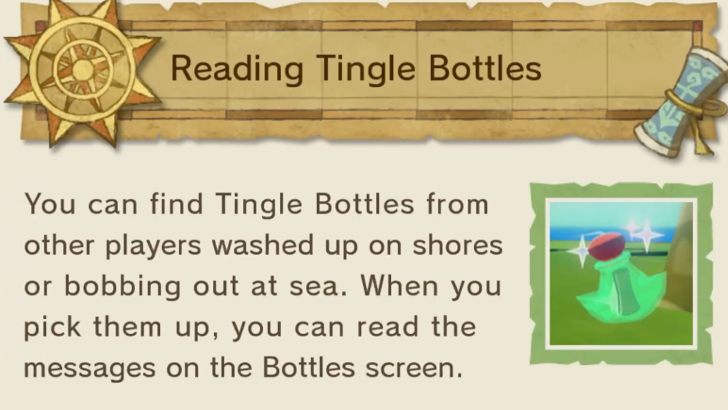
In the original game, the Tingle Tuner allows you to connect your Game Boy Advance to the GameCube. This will let a friend play as Tingle while you play as Link.
However, in the Wind Waker HD version, the Tingle Tuner is replaced with the Tingle Bottle which allows you to send messages and screenshots to another Wind Waker player through Miiverse.
Tingle Tuners Cannot Be Used in the Nintendo Switch 2 Version
If you are playing the GameCube version of Wind Waker through Nintendo Switch Online, you will be unable to use the Tingle Tuner. Only the GameCube is able to use this item.
Can You Play Wind Waker on Switch?
Different Methods for Getting Tingle Statues
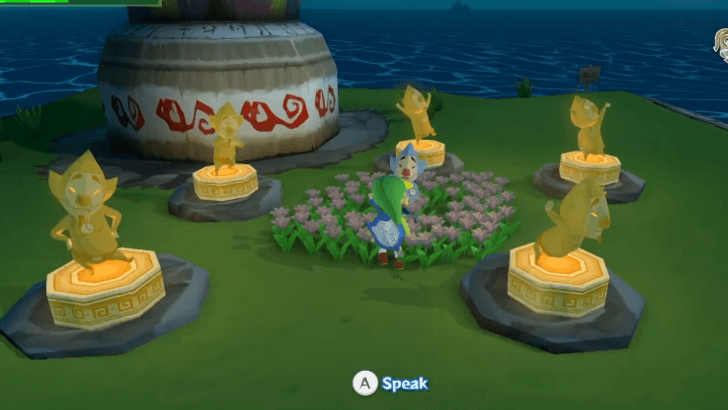
In the original version, you need to use the Tingle Tuner to find Tingle Statues. However, the HD version does not have the Tingle Tuner. Instead, you can find the Tingle Statues using a regular bomb.
Savage Labyrinth Final Reward Changed
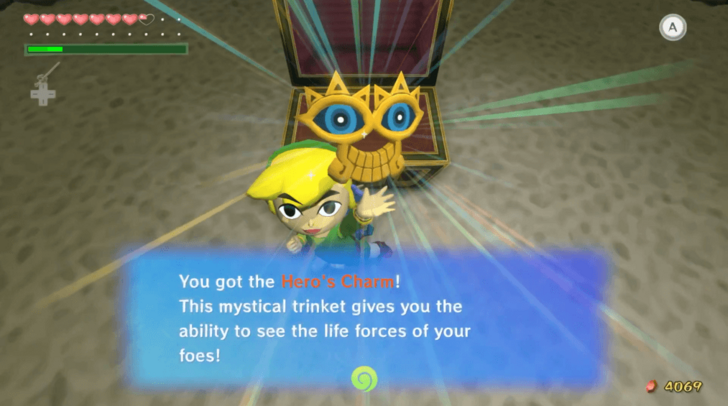
The Hero's Charm can be obtained by completing the Savage Labyrinth in the HD version. In the original version, you will have to obtain this item by giving Ms. Marie a total of 41 Joy Pendants.
In the original version, you get a Heart Piece for completing the Savage Labyrinth.
Savage Labyrinth Guide and Rewards
Magic Armor Functions Differently
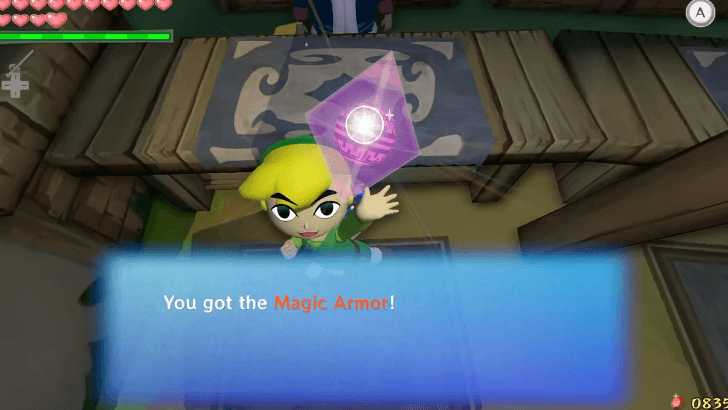
You can obtain the Magic Armor during the Trading Sequence side quest. It allows you to be invulnerable to damage. In the original version, it drains your Magic Meter. In the HD version, it is changed so that it drains your Rupees instead.
Different Rewards for Charts and Mini Games
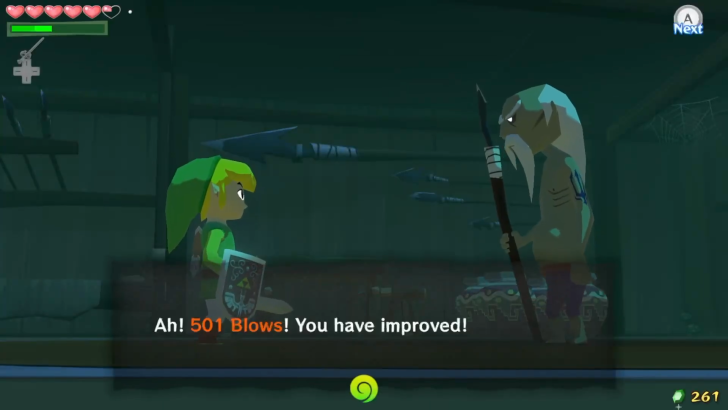
Some charts and mini games have different rewards between versions. Notably, the original version can reward you with a Treasure Chart after seeking out treasure from another Treasure Chart. Meanwhile, the HD version replaces them with other items.
Orca's Combat Training Mini Game has additional Rupee rewards in the HD version. This gives the player another avenue to farm Rupees.
Less Triforce Charts
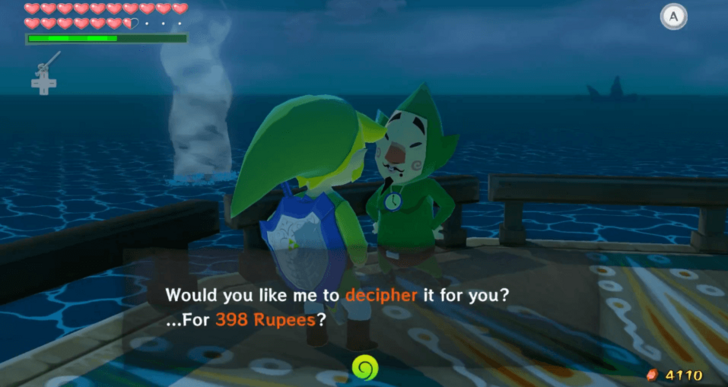
The Wii U version notably has a shorter game length than the GameCube version. This is largely due to a cut in the Triforce Quest, where instead of 8 Triforce charts, you will only need 3 to find all the Triforce Shards.
This also means that you need less money to complete the game in the HD remake, since Tingle charges you for each Triforce Chart that needs to be deciphered.
All Triforce Charts and Triforce Shard Locations
Which Version is Best?
Play Wind Waker HD for Better Quality of Life
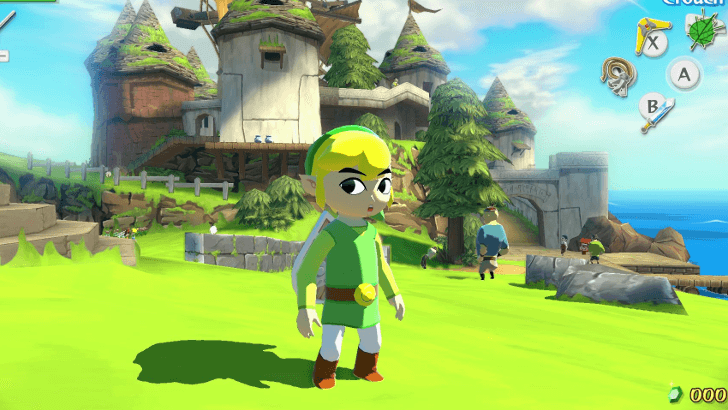
The Wii U Wind Waker HD offers a better quality than life compared to the original experience. The graphics and controls are a lot more optimized, and the addition of new and updated content will give you an easier time exploring and accomplishing quests.
However, keep in mind that Wind Waker HD is only available on the Wii U. As of writing, there is no port for Wind Waker HD on the Nintendo Switch.
Original Wind Waker for Nostalgia and Accessibility
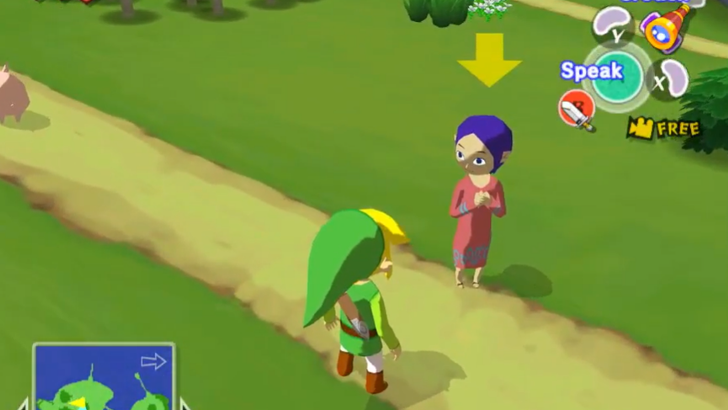
Those who played the original version of the game may be more familiar with the look and feel of the GameCube version. If you prefer the original's visuals and controls, it's recommended to play the GameCube version.
The original Wind Waker is also more accessible today, since it's available both on the GameCube and on GameCube Nintendo Switch Online for the Nintendo Switch 2.
The Legend of Zelda: The Wind Waker Related Guides
The Legend of Zelda:
The Wind Waker Wiki Top
Guides by Category
| List of Categories | |
|---|---|
 Walkthrough Walkthrough |
 Islands Islands |
 Tips and Tricks Tips and Tricks |
 Side Quests Side Quests |
 Bosses Bosses |
 Enemies Enemies |
 Items Items |
 Mini Games Mini Games |
 Songs Songs |
 Characters Characters |
Recommended Guides
Comment
Author
The Legend of Zelda: The Wind Waker Walkthrough & Guides Wiki
GameCube and Wii U Version Differences

Please participate in our site
improvement survey
04/2026
improvement survey
04/2026
Would you assist in
improving Game8's site?
improving Game8's site?

×
We are listening to our users' valuable opinions and discussing how to act on them.
The information collected through this survey will be used for the purpose of improving our services. In addition, the information will only be disclosed a part of a statistic in a format that will not allow identification of personal information.
Begin Survey
Not Now
×
Please rate each item regarding Game8.co's Advertisements.
Amount of Ads
Very Dissatisfied
Somewhat Dissatisfied
Fine
Somewhat Satisfied
Highly Satisfied
Placement of Ads
Timing of Ad Display
Ad Loading Speed
Safeness of Ads
Content of Ads
×
Please rate each item regarding Game8.co's Quality of Articles.
Amount of information
Very Dissatisfied
Somewhat Dissatisfied
Fine
Somewhat Satisfied
Highly Satisfied
Frequency of updates
Speed of new information
Accuracy of articles
Understandibility of articles
Readability of sentences
×
Please rate each item regarding Game8.co's Usability of the Site.
Ease of finding information
Very Dissatisfied
Somewhat Dissatisfied
Fine
Somewhat Satisfied
Highly Satisfied
Loading Speed
Use of Color
Font Size
Visibility of Images
Easy to Understand Layout
×
Please rate each item regarding Game8.co's Message Boards, Comments.
Ease of Writing
Very Dissatisfied
Somewhat Dissatisfied
Fine
Somewhat Satisfied
Highly Satisfied
Readability
Ease in Finding Information
Comment Quality
Comment Quantity
Admin Response
×
Please rate each item regarding Game8.co's Site's new design.
Please rate our site's new design
Very Dissatisfied
Somewhat Dissatisfied
Fine
Somewhat Satisfied
Highly Satisfied
Do you think that the website's design change makes the site easier to use?
Has the new design made it easier for you to find information on the site?
Has the new design improved the overall visual appeal of the site?
How would you rate your overall satisfaction with the new design of the site?
×
How likely are you to recommend Game8 to someone you know?
Very Unlikely
0
1
2
3
4
5
6
7
8
9
10
Very Likely
If you have other opinions regarding potential improvement to the website, please share them with us. We would appreciate your honest opinion.
Note: This is a free response section, so you can proceed without entering anything.
Note: Please be sure not to enter any kind of personal information into your response.
Note: Please be sure not to enter any kind of personal information into your response.
×
Thank You
×
Thank you for participating in our survey! Your answers will help us to improve the quality of our website and services.
We hope you continue to make use of Game8.
We hope you continue to make use of Game8.
Close
Rankings
- We could not find the message board you were looking for.
Gaming News

![Forza Horizon 6 Review [Preview] | Beautiful Roads With a Whole Lot of Oversteer](https://img.game8.co/4460981/a7254c24945c43fbdf6ad9bea52b5ce9.png/thumb)
![Borderlands Mobile Review [Playtest] | The Same Borderlands Made Easy](https://img.game8.co/4465500/aac0c880a39ec5cd46073e49d18f3ed5.png/thumb)
Popular Games

Genshin Impact Walkthrough & Guides Wiki
Crimson Desert Walkthrough & Guides Wiki
Umamusume: Pretty Derby Walkthrough & Guides Wiki
Honkai: Star Rail Walkthrough & Guides Wiki
Monster Hunter Stories 3: Twisted Reflection Walkthrough & Guides Wiki
Wuthering Waves Walkthrough & Guides Wiki
The Seven Deadly Sins: Origin Walkthrough & Guides Wiki
Pokemon TCG Pocket (PTCGP) Strategies & Guides Wiki
Pokemon Pokopia Walkthrough & Guides Wiki
Zenless Zone Zero Walkthrough & Guides Wiki










Recommended Games
Monster Hunter World Walkthrough & Guides Wiki
Fire Emblem Heroes (FEH) Walkthrough & Guides Wiki
Pokemon Brilliant Diamond and Shining Pearl (BDSP) Walkthrough & Guides Wiki
Super Smash Bros. Ultimate Walkthrough & Guides Wiki
Diablo 4: Vessel of Hatred Walkthrough & Guides Wiki
Cyberpunk 2077: Ultimate Edition Walkthrough & Guides Wiki
Yu-Gi-Oh! Master Duel Walkthrough & Guides Wiki
Elden Ring Shadow of the Erdtree Walkthrough & Guides Wiki
The Legend of Zelda: Tears of the Kingdom Walkthrough & Guides Wiki
Persona 3 Reload Walkthrough & Guides Wiki










All rights reserved
© Nintendo. The Legend of Zelda and Nintendo Switch are trademarks of Nintendo.
The copyrights of videos of games used in our content and other intellectual property rights belong to the provider of the game.
The contents we provide on this site were created personally by members of the Game8 editorial department.
We refuse the right to reuse or repost content taken without our permission such as data or images to other sites.