
How to Crouch and Take Cover
★ List of All Collectibles | Mystery Foxes
┗ Newspapers | Photographs | Saints' Cards
☆ Knife Guides: How to Sharpen | How to Throw
★ Interactive Map
☆ Ending Explained
★ Returning Characters: Leo | Sam
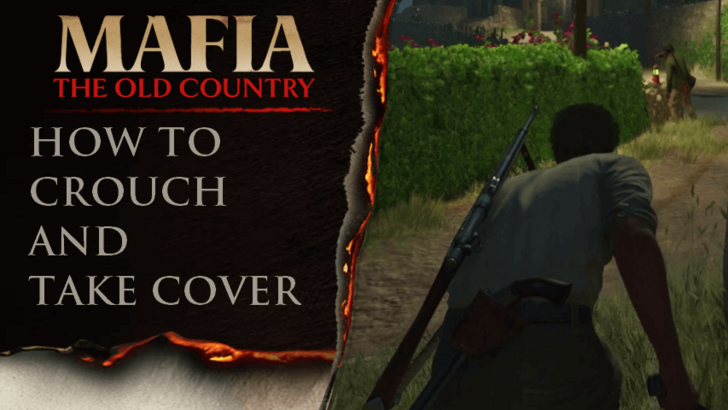
Crouching and taking cover is an important mechanic in Mafia: The Old Country. Lean how to crouch or take cover and tips when crouching or taking cover in this page!
How to Crouch and Take Cover
Press the Right Analog Stick to Crouch
| Commands | PS5 | XBOX |
|---|---|---|
| Crouch/Switch Aim Shoulder |  |
 |
To crouch, simply press the right analog stick for PS5 and XBOX. For PC, the default key for crouching is C, but you can assign any key you want in the options.
Press A or X to Take Cover
| Commands | PS5 | XBOX |
|---|---|---|
| Cover |  |
 |
To take cover, press the X button for PS5 or the A button for XBOX when Enzo is near a wall. For PC, the default key for taking cover is the Left Ctrl, but you can also assign any key you want in the options.
Tips When Crouching and Taking Cover
Crouch While Walking to Sneak Up on Enemies
Crouching while walking lessens the chance of nearby enemies to detect Enzo, allowing him to sneak up on them. This will be the key strategy during missions where Enzo has to avoid detection.
You can determine whether an enemy will detect you or not by watching the white curve that pops up when trying to remain stealthed.
Crouch or Take Cover Behind Walls to Avoid Gunshots
During shootouts, the best strategy is to crouch or take cover behind walls to avoid enemy gunshots. You can wait for an opening like when enemies are reloading, then get out of crouching and shoot them quickly.
Swap Covers to Move Safely
If you've taken cover, you can swap to another location if there's one available nearby. You'll see an arrow on your screen that indicates that you can move over there. If you want to swap cover, simply press hold down the cover button.
This happens automatically, allowing Enzo to quickly and safely move between covers.
Mafia: The Old Country Related Guides
Beginner's Guide to Mafia: The Old Country
All Tips and Tricks
Comment



Author
How to Crouch and Take Cover

Rankings
- We could not find the message board you were looking for.
Gaming News

![Death Stranding 2: On The Beach [PC] Review | A Port That Delivers](https://img.game8.co/4447392/15310a0c9aa1b6843bb713b2ea216930.jpeg/show)


Popular Games

Genshin Impact Walkthrough & Guides Wiki
Umamusume: Pretty Derby Walkthrough & Guides Wiki
Crimson Desert Walkthrough & Guides Wiki
Monster Hunter Stories 3: Twisted Reflection Walkthrough & Guides Wiki
Honkai: Star Rail Walkthrough & Guides Wiki
Pokemon Pokopia Walkthrough & Guides Wiki
The Seven Deadly Sins: Origin Walkthrough & Guides Wiki
Wuthering Waves Walkthrough & Guides Wiki
Zenless Zone Zero Walkthrough & Guides Wiki
Arknights: Endfield Walkthrough & Guides Wiki










Recommended Games
Fire Emblem Heroes (FEH) Walkthrough & Guides Wiki
Diablo 4: Vessel of Hatred Walkthrough & Guides Wiki
Cyberpunk 2077: Ultimate Edition Walkthrough & Guides Wiki
Yu-Gi-Oh! Master Duel Walkthrough & Guides Wiki
Super Smash Bros. Ultimate Walkthrough & Guides Wiki
Pokemon Brilliant Diamond and Shining Pearl (BDSP) Walkthrough & Guides Wiki
Elden Ring Shadow of the Erdtree Walkthrough & Guides Wiki
Monster Hunter World Walkthrough & Guides Wiki
The Legend of Zelda: Tears of the Kingdom Walkthrough & Guides Wiki
Persona 3 Reload Walkthrough & Guides Wiki










All rights reserved
©2025 Take-Two Interactive Software, Inc. Published by 2K Games. Developed by Hangar 13. Mafia, Take-Two Interactive Software, 2K, Hangar 13, and their respective logos are trademarks of Take-Two Interactive Software, Inc. All other marks and trademarks are the property of their respective owners. All rights reserved.
The copyrights of videos of games used in our content and other intellectual property rights belong to the provider of the game.
The contents we provide on this site were created personally by members of the Game8 editorial department.
We refuse the right to reuse or repost content taken without our permission such as data or images to other sites.