
Driving Guide
★ List of All Collectibles | Mystery Foxes
┗ Newspapers | Photographs | Saints' Cards
☆ Knife Guides: How to Sharpen | How to Throw
★ Interactive Map
☆ Ending Explained
★ Returning Characters: Leo | Sam
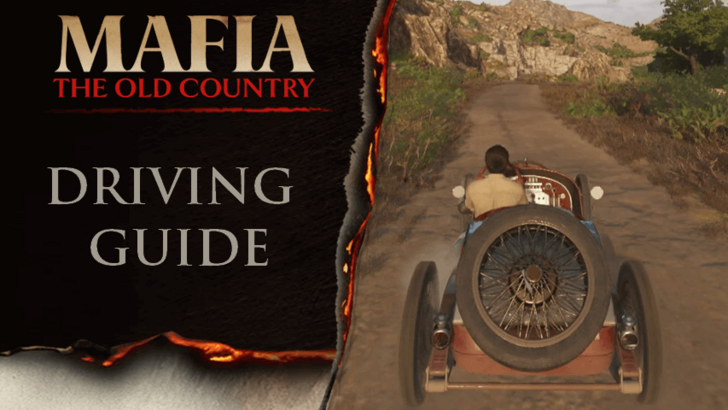
Driving is one of the main features in Mafia: The Old Country. Learn tips when driving, all driving controls, how to change driving settings, whether you can run out of fuel or gas, and how to refuel in this page!
List of Contents
Driving Tips
Stay at 60 to 90 Km/h
Whether you're driving manually or with assistance, speed control is the most important thing to keep in mind. It's easy to lose control over your car once you reach high speeds, and once you're at high speeds, you'll have a higher risk of crashing into things on the road, which can damage Enzo.
Speeds between 60 to 90 Km/h is a safe speed range. This should give you enough speed to travel fast while still allowing you to have control over your car.
Slow Down When Turning
When turning, it's best to slow down to avoid drifting uncontrollably, especially during sharp turns. A simple tip is to let go of the accelator button when turning and just let the momentum of the car do the work. You can also tap on the brakes button before turning but don't hold it down.
Shift Up to Accelerate Faster
When driving manually, it's best to shift to a higher gear once you start speeding up. Doing so allows your car to accelerate faster and be able to maintain a high speed.
If you shift down to a lower gear when you're going fast and then press the accelerate button, your car will actually slow down.
Let Go of the Accelerator Upon Reaching High Speeds
Once you've reached a high speed, it's best to release the accelerator button and let the momentum of the car move it forward. This gives you control over your car and allows you to save fuel.
Shift to 1st Gear When at Full Stop
When driving manually, you should always shift to the 1st gear when your car is at full stop. Doing so allows your car to accelerate faster when at full stop. Trying to move with a higher gear when your car is at full stop still accelerates the car but at a much slower rate.
Driving Controls
| Commands | PS5 | XBOX |
|---|---|---|
| Brake/Reverse |  |
 |
| Equip/Fire Weapon |  |
 |
| Accelerate |  |
 |
| Horn |  |
 |
| Shift Up/(Hold) Neutral |  |
 |
| Handbrake |  |
 |
| Shift Down/(Hold) Bail Out |  |
 |
| Look Back |  |
 |
| Ignition |  |
 |
| Holster |  |
 |
| Steer |  |
 |
| Flip Vehicle |  |
 |
| Rotate Camera |  |
 |
| Cycle Vehicle Camera |  |
 |
| Ping Hud |  |
 |
| Pause Menu |  |
 |
Shifting gears doesn't work if your Manual Shifting setting is disabled since it will be automatic. Additionally, the brakes button will also be the reverse button when driving automatic.
On the other hand, if you're driving manually, you need to shift to the R gear first, then press the accelerate button to move in backwards.
How to Change Driving Settings
Go to the Gameplay Menu
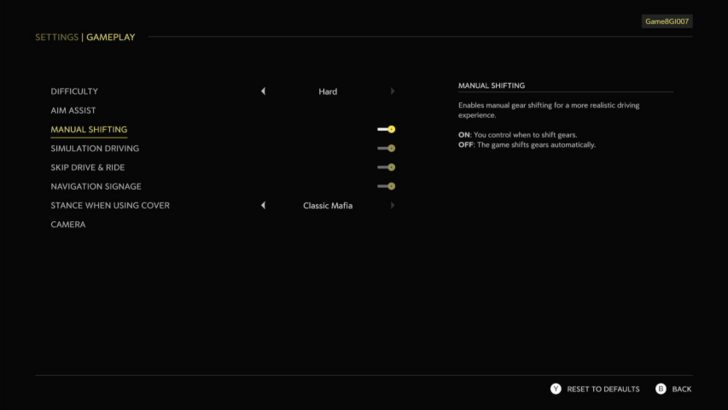
To change driving settings, open the main menu, go to the Options tab, select Settings, then select Gameplay.
There are only two (2) options that affect driving directly:
- Manual Shifting - Enables manual gear shifting for a more realistic dirivng experience.
- Simulation Driving - Enables a more realistic driving experience without vehicle handling assistance.
Best Driving Settings
| Driving Settings | |
|---|---|
| Manual Shifting | User Preference |
| Simulation Driving | Off |
| Skip Drive & Ride option | Off |
| Navigation Signage | On |
Can You Run Out of Fuel or Gas?
Yes, Car Fuel/Gas Depletes
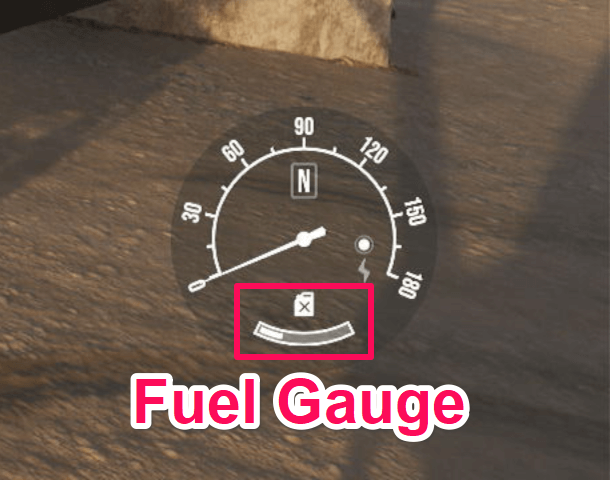
As you drive, your fuel or gas depletes slowly. Once you ran out of fuel, your car will stop moving. Even if you're on neutral gear and you press the accelerate button, your car fuel will still deplete.
You'll see how much fuel your car has left on the dashboard that pops up when you get into a car. Once the gas container icon lights up, it means you're low on fuel already.
How to Refuel
Select a Car in a Garage
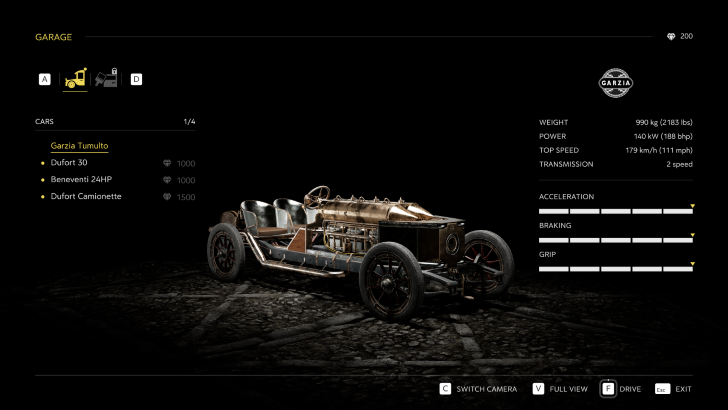
If your current car runs out of fuel or gas, just go to any garage and select a car to drive. Whether or not you select the same car as your current one, the selected car's fuel will replenish.
Mafia: The Old Country Related Guides
Beginner's Guide to Mafia: The Old Country
All Tips and Tricks



Author


Rankings
- We could not find the message board you were looking for.
Gaming News

![Star Savior Review [First Impressions] | Engaging, Entertaining, and Expensive](https://img.game8.co/4447603/8f500e9bf666bdb8adb1af478e9dfdbd.png/show)



Popular Games

Genshin Impact Walkthrough & Guides Wiki
Umamusume: Pretty Derby Walkthrough & Guides Wiki
Crimson Desert Walkthrough & Guides Wiki
Monster Hunter Stories 3: Twisted Reflection Walkthrough & Guides Wiki
Honkai: Star Rail Walkthrough & Guides Wiki
Pokemon Pokopia Walkthrough & Guides Wiki
The Seven Deadly Sins: Origin Walkthrough & Guides Wiki
Wuthering Waves Walkthrough & Guides Wiki
Zenless Zone Zero Walkthrough & Guides Wiki
Arknights: Endfield Walkthrough & Guides Wiki










Recommended Games
Fire Emblem Heroes (FEH) Walkthrough & Guides Wiki
Diablo 4: Vessel of Hatred Walkthrough & Guides Wiki
Cyberpunk 2077: Ultimate Edition Walkthrough & Guides Wiki
Yu-Gi-Oh! Master Duel Walkthrough & Guides Wiki
Super Smash Bros. Ultimate Walkthrough & Guides Wiki
Pokemon Brilliant Diamond and Shining Pearl (BDSP) Walkthrough & Guides Wiki
Elden Ring Shadow of the Erdtree Walkthrough & Guides Wiki
Monster Hunter World Walkthrough & Guides Wiki
The Legend of Zelda: Tears of the Kingdom Walkthrough & Guides Wiki
Persona 3 Reload Walkthrough & Guides Wiki










All rights reserved
©2025 Take-Two Interactive Software, Inc. Published by 2K Games. Developed by Hangar 13. Mafia, Take-Two Interactive Software, 2K, Hangar 13, and their respective logos are trademarks of Take-Two Interactive Software, Inc. All other marks and trademarks are the property of their respective owners. All rights reserved.
The copyrights of videos of games used in our content and other intellectual property rights belong to the provider of the game.
The contents we provide on this site were created personally by members of the Game8 editorial department.
We refuse the right to reuse or repost content taken without our permission such as data or images to other sites.
I recently tried the Extreme Car Driving Simulator for iOS and it’s amazing! The MOD features and open-world maps make it one of the best mobile driving games right now. Highly recommended for iOS gamers looking for fun and realistic controls.