

 Gozarutchi


This survey will take about 1 minute.
Your answers will help us to improve our website.
Tamagotchi Plaza
Shuriken Shop Guide
★ Latest News: Switch 2 Edition, Tamagotchi Uni
☆ Meet the Tamagotchis: All Tamagotchi & Manager Tamagochis
★ Tamahiko Town Shops: All Shops, All Secret Shops
☆ Beginner Tips: How to Spend Gotchi, Tamahiko Town Guide
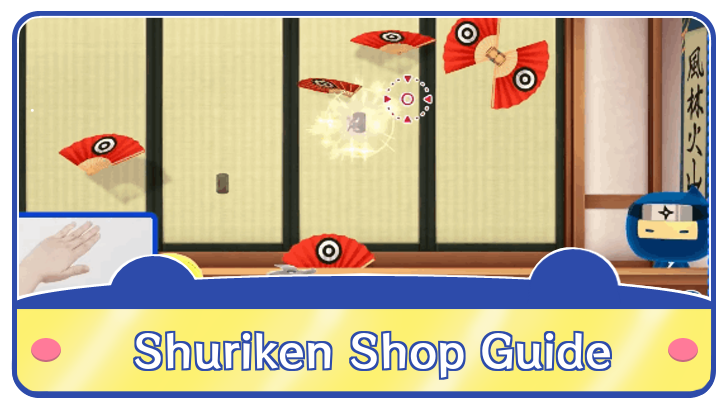
The Shuriken Shop is one of the playable Switch 2 Shops in Tamagotchi Plaza. Find out how to manage the Shuriken Shop, who its manager is, how to upgrade and unlock and why is it exclusive to the Switch 2 here!
How to Unlock Shuriken Shop
| Unlocking the Shuriken Shop |
|---|
|
|
Play Through the First 10 Shops
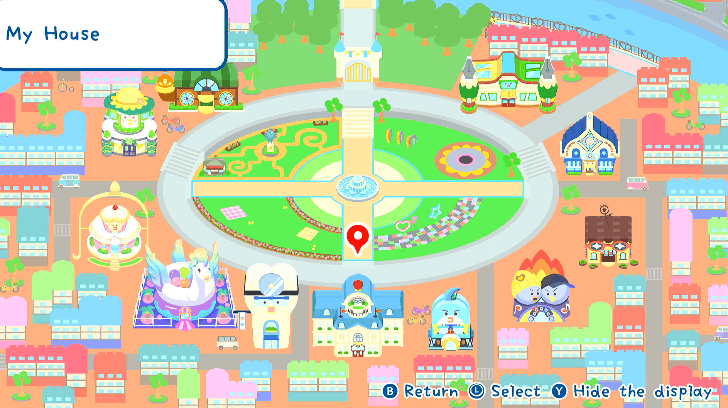
To unlock the Shuriken Shop, play through all the shops and complete their minigames at least once to trigger an in-game event. This will unlock both the Sushi Shop and the Shuriken Shop respectively.
Note that you don't need to unlock or do other requirements with the shop to trigger the event, just play through all shops at least once!
Go to the Alley Between My House and the Gym
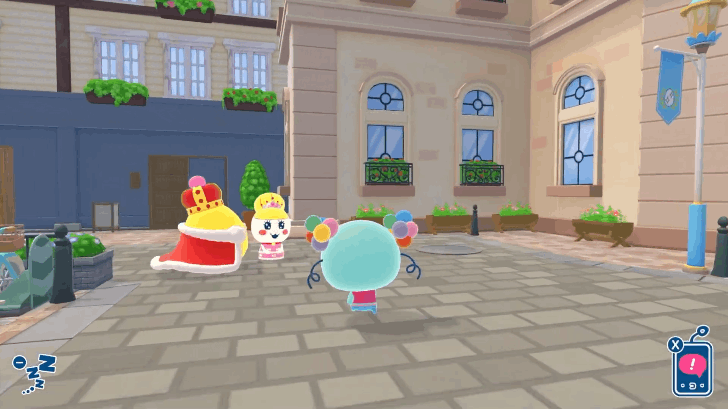
Go to the small alleyway in-between My House and the Personal Training Gym to see Gotchi King and Princess Tamako. Approach them to start the event. Note that you can't bypass them and the event will trigger regardless.
Talk to Gotchi King and Princess Tamako
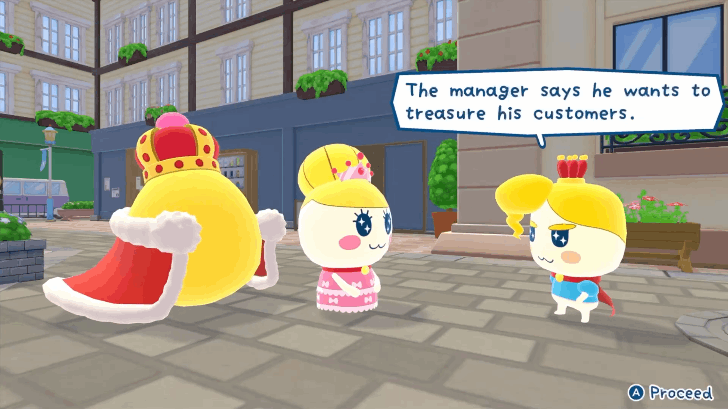
Once approached, you will start a conversation with them alongside Prince Tamahiko about the shops in Tamahiko Town. Let the conversation play out and you will then encounter Gozaruchi who will request your help in mastering his art via opening shops along the alleyway!
Enter the Second Hidden Shop in the Alley
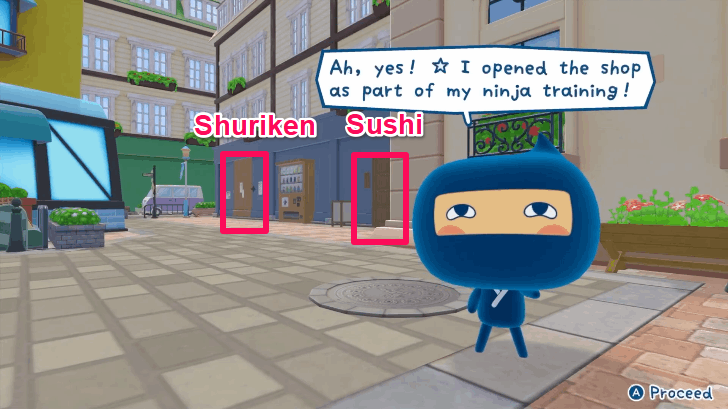
After the conversation, the alleyway opens up to the player. Immediately head to the second wooden door of a blue house into the alleyway and an exclamation symbol will appear, use your Interact key to enter Gozaruchi's Secret Shuriken Shop!
How to Manage Shuriken Shop
| Shuriken Shop Management Guide |
|---|
|
|
Shuriken Shop Controls
| Aim and Recenter | ||
|---|---|---|
 / /  |
||
| Shoot | ||
| |
||
| Reload | ||
 |
||
This shop only uses the Optical Sensor of the Joy-Con 2s to act as a swishing sensor to the thrown shurikens. Buttons A and R are used to recenter the cursor and reload the Shuriken, respectively.
Controls Guide for Switch 1 and Switch 2
Will be Asked for Controller Input
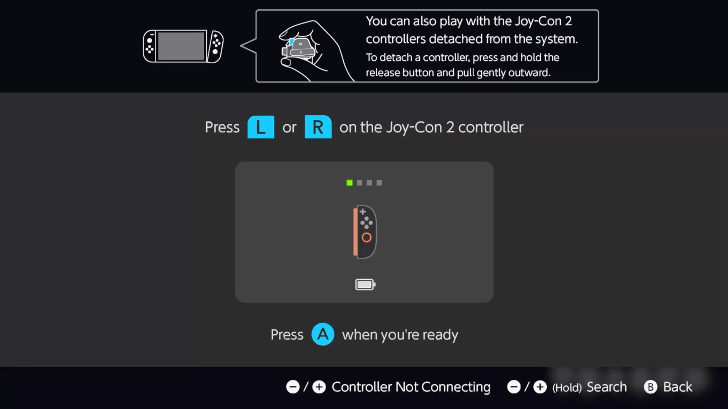
If your Joy-Con 2s are still attached, the game will notify you to detach them before playing as the game will. When your Switch allows you to press the A key, it means you did the steps before correct!
Reload your Shuriken with the R Key
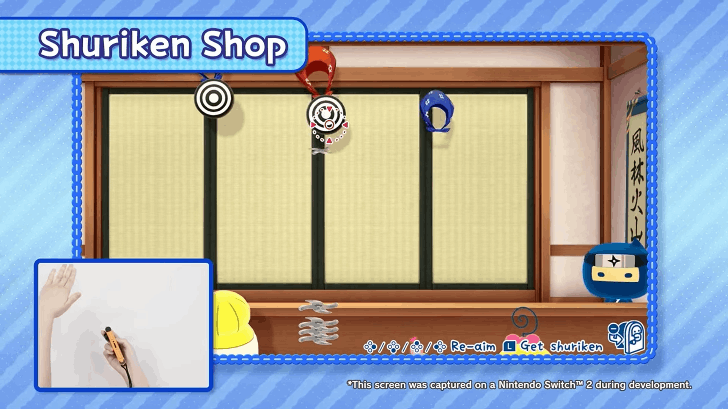
Do not let your Shuriken ammo be empty! Always refill whenver a new stage is coming by pressing the R key! This will ensure you have a full Shuriken load every level and you will not run out in a pinch.
Recenter your Cursor with A Key
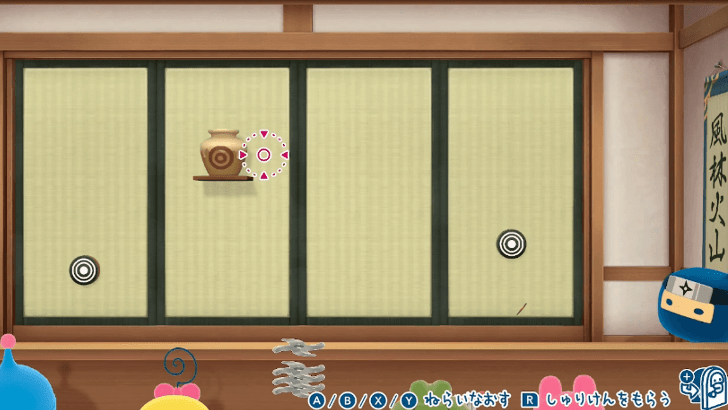
Always Recenter your Cursor should the sensor misalign your shots. Press the A key to properly align your targeting cursor in the screen instead of manually adjusting the Joy-Con 2 which makes the aim alignment harder.
Hit the Treasure Chest Directly
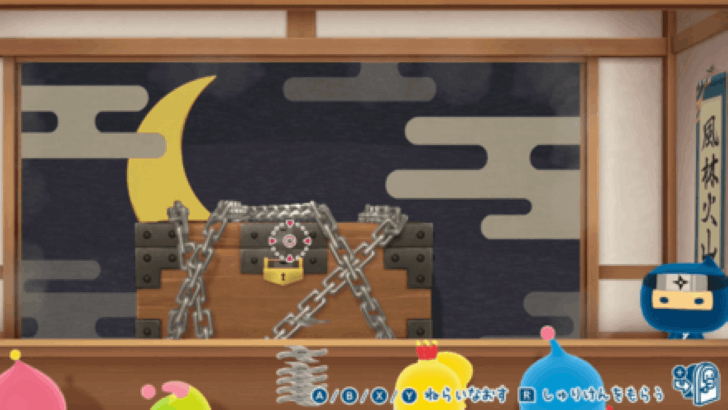
If you're ever in a Treasure Chest stage, you don't have to hit the chains with the Shuriken, instead, focus on the chest itself and hit it with the Shuriken as the game counts you hitting the chest as breaking the chains directly.
Some Objects Require More Shuriken
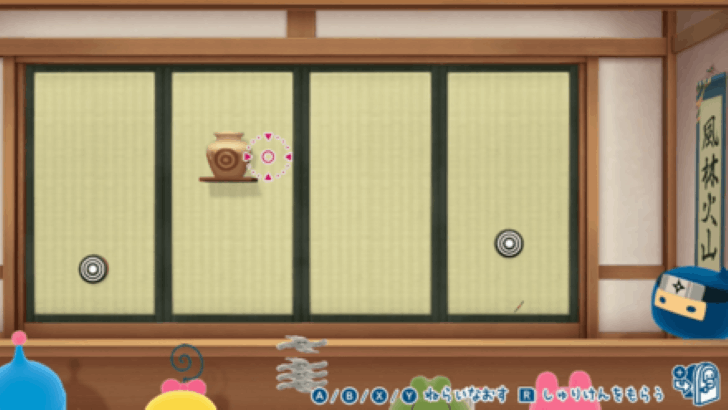
Should you encounter a Vase stage, do note that you'll need at least three Shuriken to break them. Make sure to hit all three Shurikens and aim well! Press A if you want to recenter your aim for precise throws.
Hit the Door Edges on Door Stages
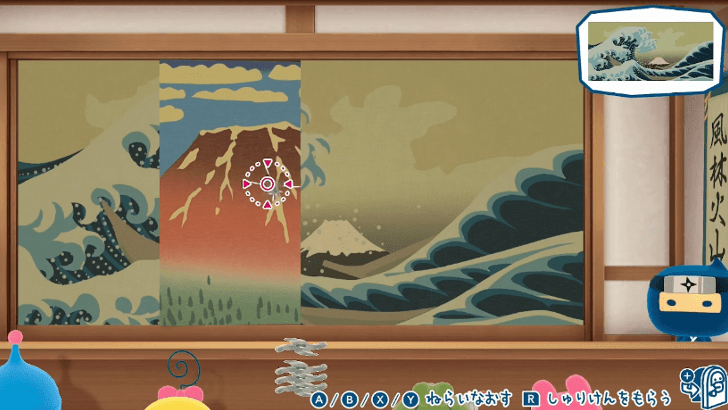
There will be Door Stages that require you to flip to get the full image like a puzzle! There will be four revolving doors and at least one of them will need to be flipped. Hit that door on its opposing edges using the Shuriken to flip them.
Choose the Right Shuriken to Throw
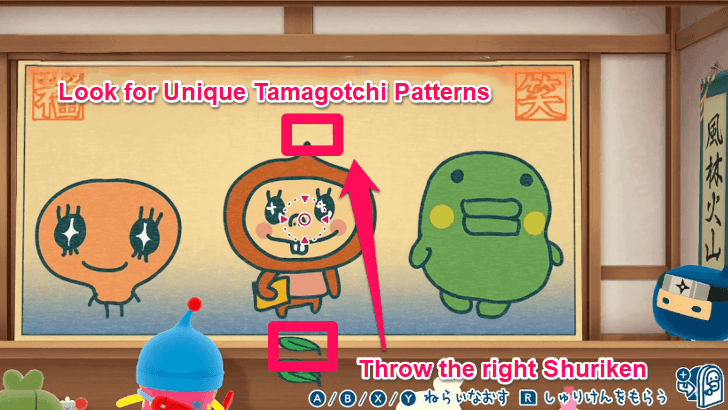
There will be some stages where Tamagotchi portraits are present and you must look at the right Tamagotchi to throw a special Shuriken at. To know this, look at their heads and look for any weird pointy patterns.
Aim Low with the Parachuting Targets
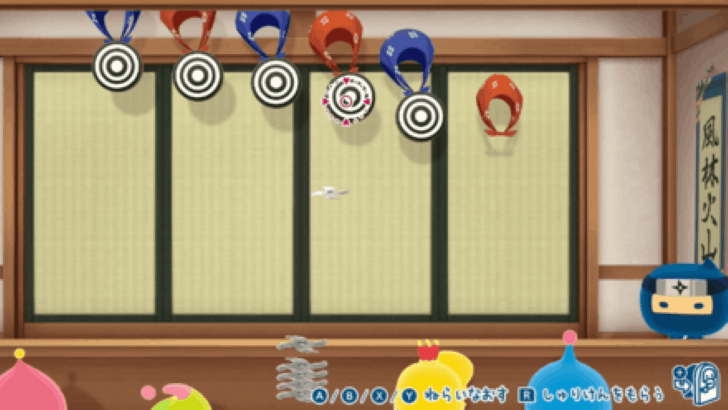
Some targets have towel parachutes that descend and you must hit them. Aim for the lowest target as that is easier to hit and gives you more time to hit the higher targets.
Aim Low for the Balloon Stages
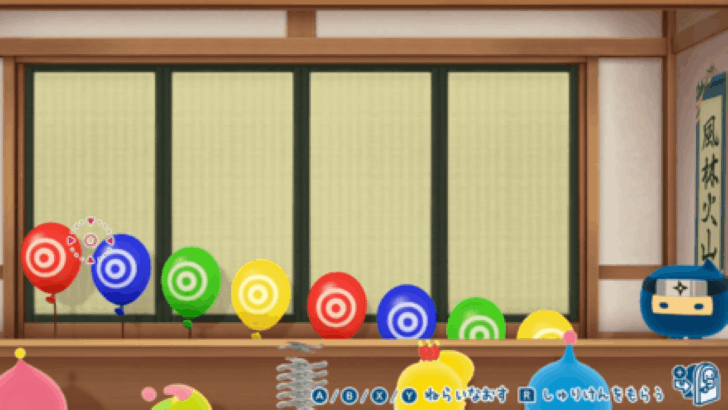
The Balloon Stages also feature Balloons that ascend to the top. Aim for the lowest target once more and hit the first target that appears on the screen to gain momentum on the other targets!
About the Shuriken Shop
Shuriken Shop Basic Information
| Shuriken Shop | |
|---|---|
 |
|
| Manager | |
| Description | Assist customers with throwing ninja stars at targets. |
The Shuriken Shop is one of Gozaruchi's three shops in Tamahiko Town, available only on the Nintendo Switch 2 version of the game. This little hole-in-the-wall shop secretly teaches Tamagotchi's how to properly throw ninja shuriken!
Shop Uses Switch 2 Unique Mechanics
The Shuriken Shop is exclusive only to the Switch 2, alongside the Sushi and Sushi Shuriken Shops that Gozarutchi manages, as they use the hardware features of that console!
This shop in particular, uses the Switch 2's optical sensor on the magnetic end of the Joy-Con 2, allowing you to directly interface with the Shuriken to throw them at targets.
Switch 1 Upgrade Pack Unlocks Shop
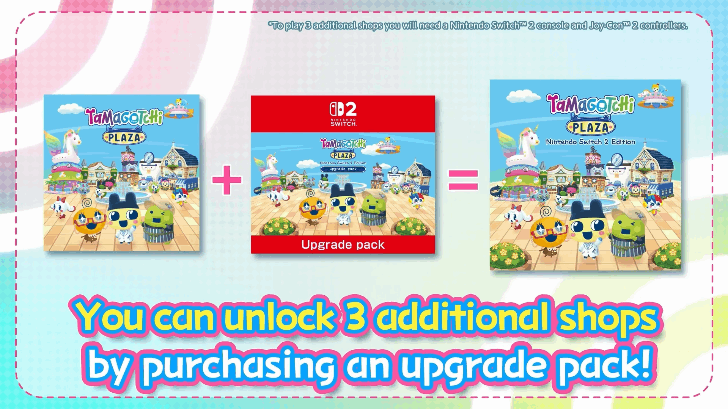
Availing the Upgrade Pack allows the Switch 1 version of the game to get the features of the Switch 2! You will still need a Nintendo Switch 2 to have the minigames function, however.
This pack is meant for people who want to utilize their Switch 2 with the Switch 1 version of the game and if you are in this crowd, we recommend getting the upgrade to get the full experience, including all three Gozaruchi shops!
Switch 2 Edition Differences
Not Available on the Switch 1
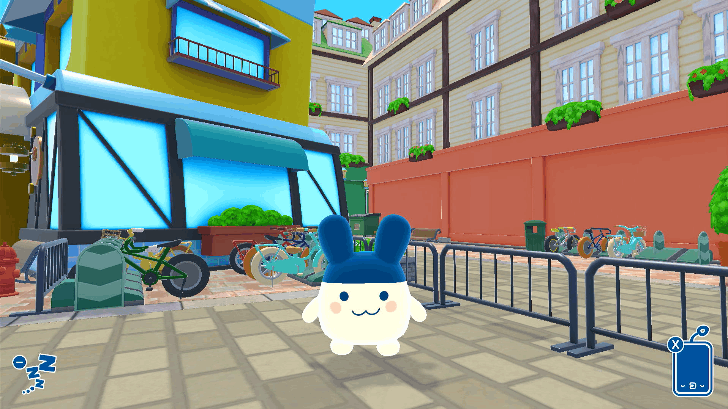
The Switch 1 version of the game blocks the road where the Shuriken Shop would have been located and you cannot access the back alley where the shop is located unless you get the Switch 2 Edition.
How to Upgrade Shuriken Shop
The Shop Has No Upgrade Options
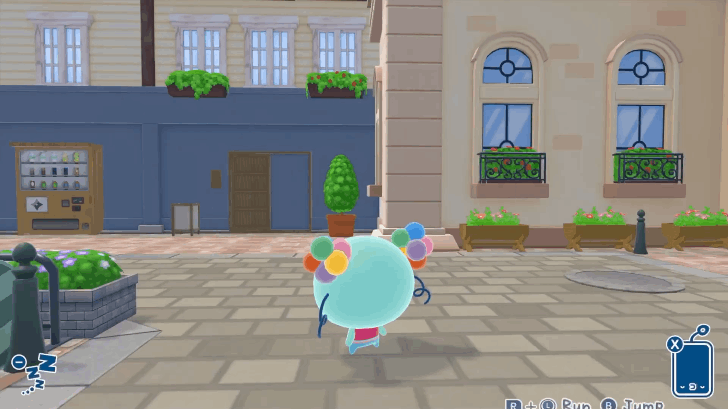
Compared to the shops facing the town plaza, this shop seems to present no known options for upgrade and as such can be prioritized last if you are aiming to have shops upgraded first!
This also means that aside from collecing Gotchi, the shop itself is purely a fun addition that the player can look around and play with if they want new content.
Troubleshooting Optical Sensor
Align the Palm with the Optical Sensor
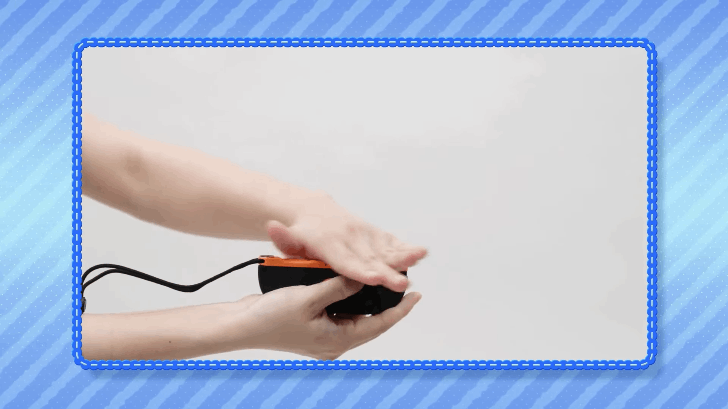
The Joy-Con 2's optical sensor may prove to have difficulties in detecting the player's palm, make sure to slowly refresh the sensor by putting your palm close to the center and swishing your hand slowly to have the sensor read your motions properly.
Possible Joy-Con 2 Issues
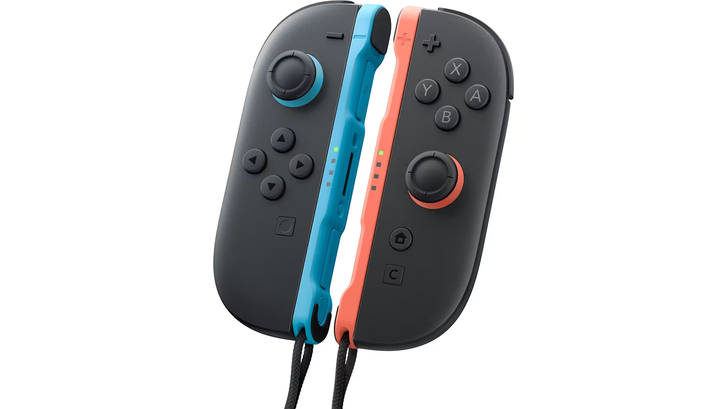
If the first solution didn't work after several attempts, it is possible that there may be issues with the Joy-Con 2 and you may need further troubleshooting. We have linked Nintendo's Official Guide here for the Joy-Con 2s if you need any help!
Tamagotchi Plaza Related Guides

All Tamahiko Town Shops
| List of All Manager Tamagotchi | |
|---|---|
 Afternoon Pool Afternoon Pool |
 Afternoon Tea Shop Afternoon Tea Shop |
 Bicycle Shop Bicycle Shop |
 Dentist Dentist |
 Eyewear Shop Eyewear Shop |
 Galette Shop Galette Shop |
 Glasses Galette Shop Glasses Galette Shop |
 Manga Shop Manga Shop |
 Night Pool Shop Night Pool Shop |
 Personal Training Gym Personal Training Gym |
 Rap Battle Shop Rap Battle Shop |
Shuriken Shop |
 Sushi Shop Sushi Shop |
 Sushi Shuriken Shop Sushi Shuriken Shop |
 Tailor Shop Tailor Shop |
|
Comment
Author
Shuriken Shop Guide

Please participate in our site
improvement survey
03/2026
improvement survey
03/2026
Would you assist in
improving Game8's site?
improving Game8's site?

×
We are listening to our users' valuable opinions and discussing how to act on them.
The information collected through this survey will be used for the purpose of improving our services. In addition, the information will only be disclosed a part of a statistic in a format that will not allow identification of personal information.
Begin Survey
Not Now
×
Please rate each item regarding Game8.co's Advertisements.
Amount of Ads
Very Dissatisfied
Somewhat Dissatisfied
Fine
Somewhat Satisfied
Highly Satisfied
Placement of Ads
Timing of Ad Display
Ad Loading Speed
Safeness of Ads
Content of Ads
×
Please rate each item regarding Game8.co's Quality of Articles.
Amount of information
Very Dissatisfied
Somewhat Dissatisfied
Fine
Somewhat Satisfied
Highly Satisfied
Frequency of updates
Speed of new information
Accuracy of articles
Understandibility of articles
Readability of sentences
×
Please rate each item regarding Game8.co's Usability of the Site.
Ease of finding information
Very Dissatisfied
Somewhat Dissatisfied
Fine
Somewhat Satisfied
Highly Satisfied
Loading Speed
Use of Color
Font Size
Visibility of Images
Easy to Understand Layout
×
Please rate each item regarding Game8.co's Message Boards, Comments.
Ease of Writing
Very Dissatisfied
Somewhat Dissatisfied
Fine
Somewhat Satisfied
Highly Satisfied
Readability
Ease in Finding Information
Comment Quality
Comment Quantity
Admin Response
×
Please rate each item regarding Game8.co's Site's new design.
Please rate our site's new design
Very Dissatisfied
Somewhat Dissatisfied
Fine
Somewhat Satisfied
Highly Satisfied
Do you think that the website's design change makes the site easier to use?
Has the new design made it easier for you to find information on the site?
Has the new design improved the overall visual appeal of the site?
How would you rate your overall satisfaction with the new design of the site?
×
How likely are you to recommend Game8 to someone you know?
Very Unlikely
0
1
2
3
4
5
6
7
8
9
10
Very Likely
If you have other opinions regarding potential improvement to the website, please share them with us. We would appreciate your honest opinion.
Note: This is a free response section, so you can proceed without entering anything.
Note: Please be sure not to enter any kind of personal information into your response.
Note: Please be sure not to enter any kind of personal information into your response.
×
Thank You
×
Thank you for participating in our survey! Your answers will help us to improve the quality of our website and services.
We hope you continue to make use of Game8.
We hope you continue to make use of Game8.
Close
Rankings
- We could not find the message board you were looking for.
Gaming News


![Slay the Spire 2 Review [Early Access] | Still the Deckbuilder to Beat](https://img.game8.co/4433115/44e19e1fb0b4755466b9e516ec7ffb1e.png/thumb)

![Resident Evil Village Review [Switch 2] | Almost Flawless Port](https://img.game8.co/4432790/e1859f64830960ce4248d898f8cd38d9.jpeg/thumb)
Popular Games

Genshin Impact Walkthrough & Guides Wiki
Honkai: Star Rail Walkthrough & Guides Wiki
Umamusume: Pretty Derby Walkthrough & Guides Wiki
Pokemon Pokopia Walkthrough & Guides Wiki
Resident Evil Requiem (RE9) Walkthrough & Guides Wiki
Monster Hunter Wilds Walkthrough & Guides Wiki
Wuthering Waves Walkthrough & Guides Wiki
Arknights: Endfield Walkthrough & Guides Wiki
Pokemon FireRed and LeafGreen (FRLG) Walkthrough & Guides Wiki
Pokemon TCG Pocket (PTCGP) Strategies & Guides Wiki










Recommended Games
Fire Emblem Heroes (FEH) Walkthrough & Guides Wiki
Diablo 4: Vessel of Hatred Walkthrough & Guides Wiki
Yu-Gi-Oh! Master Duel Walkthrough & Guides Wiki
Super Smash Bros. Ultimate Walkthrough & Guides Wiki
Pokemon Brilliant Diamond and Shining Pearl (BDSP) Walkthrough & Guides Wiki
Elden Ring Shadow of the Erdtree Walkthrough & Guides Wiki
Monster Hunter World Walkthrough & Guides Wiki
The Legend of Zelda: Tears of the Kingdom Walkthrough & Guides Wiki
Persona 3 Reload Walkthrough & Guides Wiki
Cyberpunk 2077: Ultimate Edition Walkthrough & Guides Wiki










All rights reserved
© Bandai Namco Entertainment America Inc. All third party content, brands, names, and logos are used under license and remain property of their respective owners. All rights reserved.
The copyrights of videos of games used in our content and other intellectual property rights belong to the provider of the game.
The contents we provide on this site were created personally by members of the Game8 editorial department.
We refuse the right to reuse or repost content taken without our permission such as data or images to other sites.