
How to Manage Save Data
★ Solve Puzzles to earn Yarn and make Plush!
★ Free-to-Play Yarn types:
┗ Plain | Fiery | Soggy | Grassy | Sparky
★ Purchase the DLC to unlock more Yarn types.
┗ Frosty | Hardy | Creepy | Fantasy | Toothy | Feathery
★ Score high to get Pretty Nice Yarn for Rare Plush!
This is an article about how to manage your save data in Pokemon Friends. Read on to learn how to create, edit, and delete save files!
List of Contents
How to Manage Save Data
Manage Save Files Option Under Settings
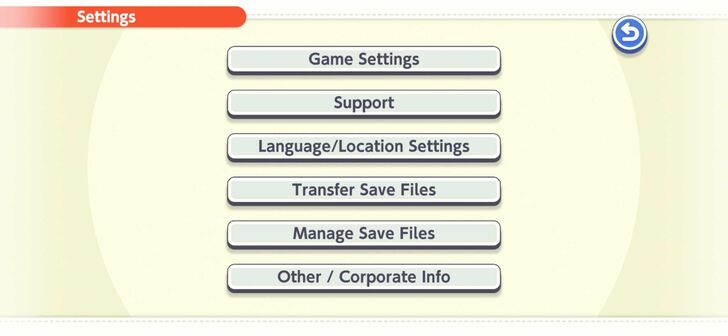
You may manage your save data by going to Manage Save Files under Settings. This allows you to create, edit, and delete save files.
Create New Save File
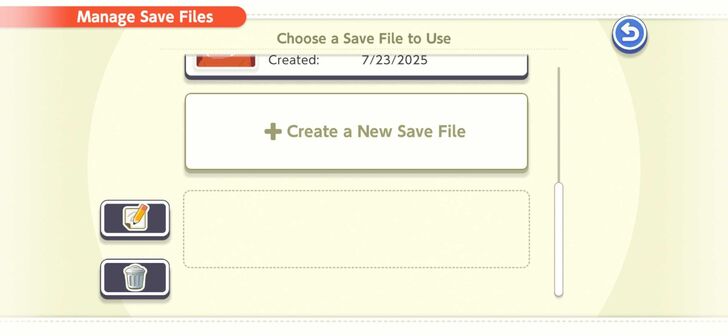
You may create a new save file for another player or to reroll. This allows you to start the game from the beginning without deleting your previous save file.
Edit Save File
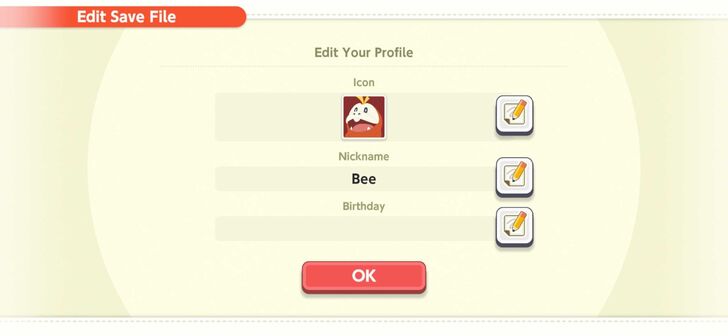
Editing your save file allows you to edit its profile. This includes the icon, nickname, and birthday.
Delete Save File
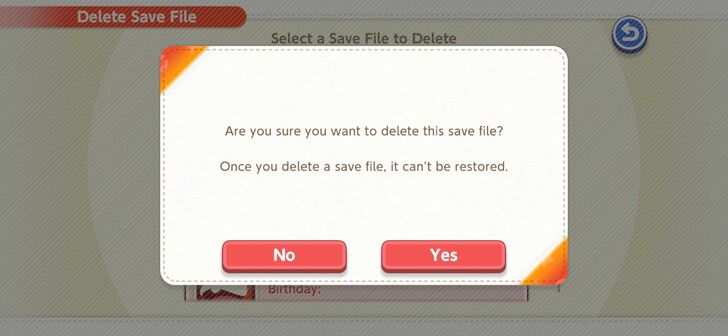
You may delete save files in order to be able to create new ones. Keep in mind that once a save file has been deleted, it cannot be recovered.
Freely Switch Between Save Files
Players are able to freely switch between save files while playing. You may simply select another save file without having to restart the game.
This allows you to quickly attempt to get a different plush in a separate save file.
Pokemon Friends Related Articles

Recommended Guides
| Game Information | |
|---|---|
| Is Pokemon Friends Free-to-Play? | How to Reroll |
| How to Manage Save Data | When Does the Date Change? |
| Best Settings and How to Change Them | - |
Guides by Category
| Pokemon Friends Wiki Categories | |
|---|---|
 List of All Plush List of All Plush |
 List of All Types of Yarn List of All Types of Yarn |
 List of Puzzles List of Puzzles |
 List of DLC Bundles List of DLC Bundles |
Comment



Author

How to Manage Save Data

Rankings
- We could not find the message board you were looking for.
Gaming News





Popular Games

Genshin Impact Walkthrough & Guides Wiki
Umamusume: Pretty Derby Walkthrough & Guides Wiki
Crimson Desert Walkthrough & Guides Wiki
Monster Hunter Stories 3: Twisted Reflection Walkthrough & Guides Wiki
Honkai: Star Rail Walkthrough & Guides Wiki
Pokemon Pokopia Walkthrough & Guides Wiki
The Seven Deadly Sins: Origin Walkthrough & Guides Wiki
Wuthering Waves Walkthrough & Guides Wiki
Zenless Zone Zero Walkthrough & Guides Wiki
Arknights: Endfield Walkthrough & Guides Wiki










Recommended Games
Fire Emblem Heroes (FEH) Walkthrough & Guides Wiki
Diablo 4: Vessel of Hatred Walkthrough & Guides Wiki
Cyberpunk 2077: Ultimate Edition Walkthrough & Guides Wiki
Yu-Gi-Oh! Master Duel Walkthrough & Guides Wiki
Super Smash Bros. Ultimate Walkthrough & Guides Wiki
Pokemon Brilliant Diamond and Shining Pearl (BDSP) Walkthrough & Guides Wiki
Elden Ring Shadow of the Erdtree Walkthrough & Guides Wiki
Monster Hunter World Walkthrough & Guides Wiki
The Legend of Zelda: Tears of the Kingdom Walkthrough & Guides Wiki
Persona 3 Reload Walkthrough & Guides Wiki










All rights reserved
©2025 Pokémon. ©1995–2025 Nintendo / Creatures Inc. / GAME FREAK inc.
The copyrights of videos of games used in our content and other intellectual property rights belong to the provider of the game.
The contents we provide on this site were created personally by members of the Game8 editorial department.
We refuse the right to reuse or repost content taken without our permission such as data or images to other sites.