
Beginner's Guide and Starting Tips
☆ NEW: Patch V 0.7.9 out now!
★ Early Access is live! ▶︎ Latest News
☆ Get started with our Beginner's Guide
★ Best Spells | Best Items | Best Strategies
☆ Spells | Items | Biomes | NPCs
★ Crafting | Rank System | Flag Design
This is a beginner's guide on how to get started in Mage Arena. See how to get started and some beginner's tips and tricks for new players here!
List of Contents
How to Get Started
| Mage Arena Starter Guide |
|---|
|
|

Begin by Selecting an Accent
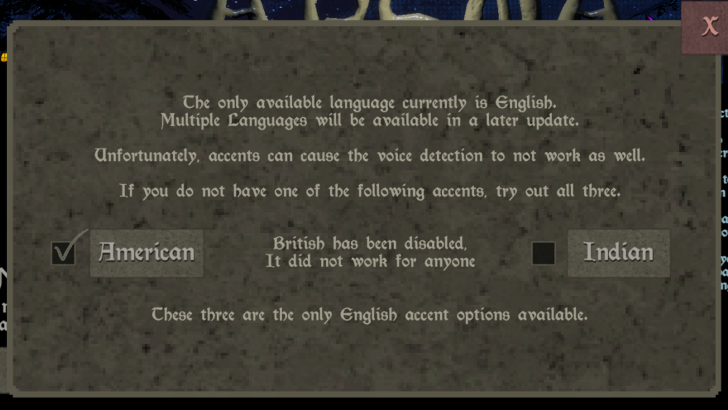
As soon as you boot up the game for the first time, immediately access the Accent Menu at the bottom left corner of the title screen. If you do not have any of the accents available, we recommend just sticking with American for now. Selecting the proper accent allows Mage Arena to have a much easier time recognizing the spell you are casting when using your voice.
Play the Tutorial
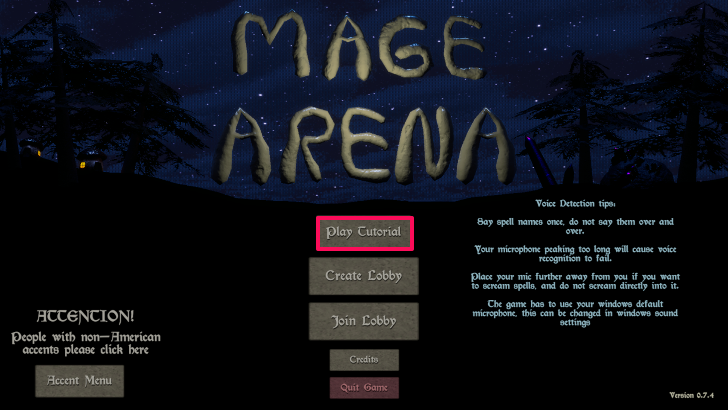
After choosing an accent, we recommend playing the tutorial at least once to get a feel of the game's core mechanics, such as crafting items and casting spells. For Capture the Flag, you can select the map size. The Large map simply has more tiles or biomes on the map.
Create a Lobby
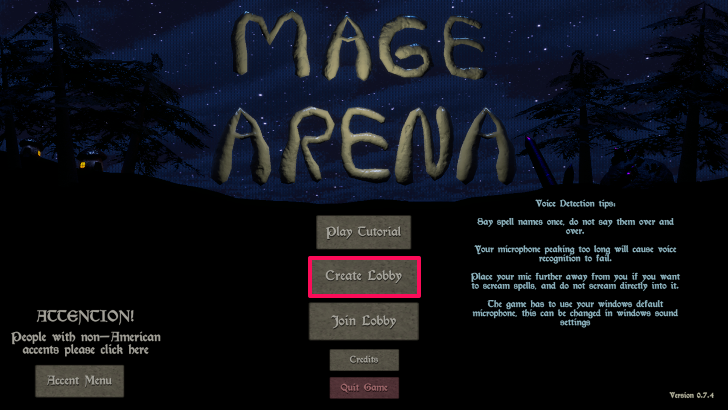
To start a match, simply make a lobby by pressing the Create Lobby on the title screen. If you only want to play with your friends, make sure to set the lobby private. After creating a lobby, you can now select one of the two game modes currently available: Colosseum (1v1) and Capture the flag (8v8).
Capture the flag is the default game mode since Mage Arena's tutorial focus on the mechanics tied to Capture the Flag.
Join a Lobby Instead
If you do not want to create a lobby, you can simply join a public lobby by clicking the Join Lobby button on Mage Arena's title screen.
Secure Your Team's Base
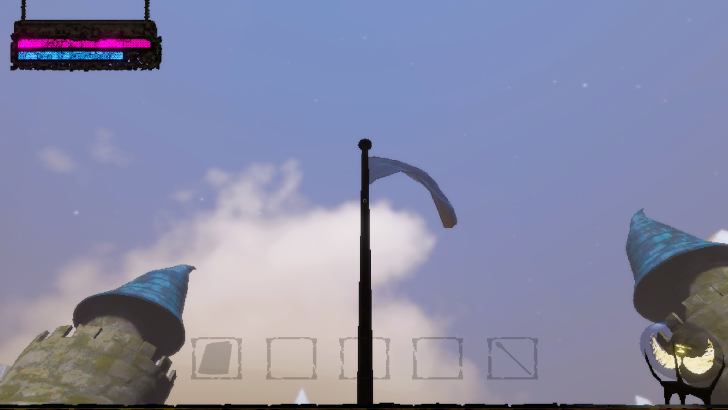
As soon as a Capture the Flag match starts, stand beside your base's flag to capture it. As explained in the tutorial, the orb at the bottom right of your screen will show a skull if you have yet to activate it at the start of a game or the enemy team has captured the flag.
If the orb has a skull inside, it means that your whole team cannot respawn unless someone on the team recaptures the flag. If your team gets wiped before recapturing your base's flag, your team loses the game!
Close Your Base Before Leaving
Make sure the main gate of your base is closed at all times before heading out. You do not want the enemy team sneaking inside your base and then capturing your flag without anyone noticing!
Craft Items to Help You in Battle
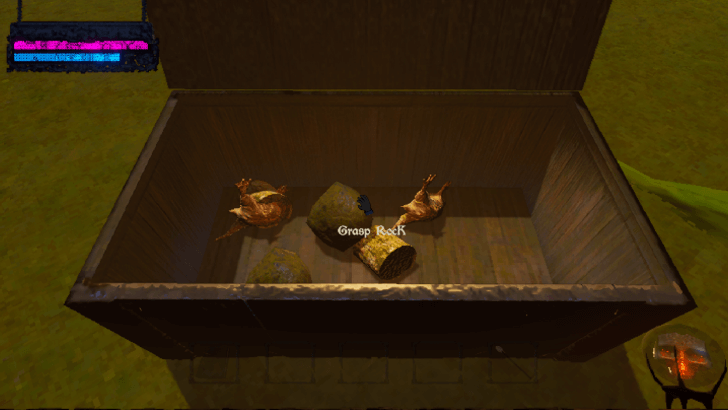
Before heading out of the base, craft whatever you can based on the random resources inside the chest in your base before heading out. You can open the chest by holding the E button.
To craft items, use the crafting recipe as a reference and then place items on top of the trunk in your base by pressing E. You can get more crafting materials by exploring the map and capturing biomes with flags!
Practice Casting Spells
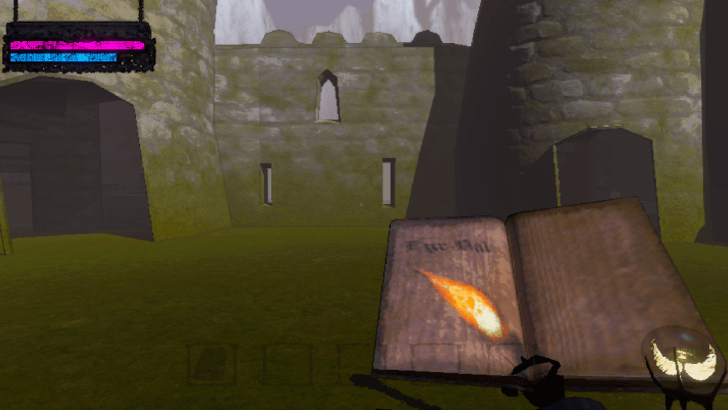
The Spellbook is already part of your inventory by default. It contains the following Spells: Fireball, Freeze, Wormhole, and Magic Missile.
You can use the four Spells by equipping your Spellbook (scroll up to the first slot of the inventory) and then pressing the correct keybind assigned to the spell you want to cast (1-4 on your keyboard). Finally, simply speak to your mic in order to cast the spell!
It is worth noting that certain Spells, such as Fireball, can damage your teammates. So, friendly fire exists in Mage Arena!
There Are Multiple Ways to Get More Spells
- Chests and Destructibles
- Gnome NPC
- Dropped by Dead Players
To get more Spells, you need to obtain Spell Pages. As mentioned above, there are several ways to get them, such as looting them from chests. You can also loot Spell Pages from the dead bodies of players!
Capture the Biomes with Flags
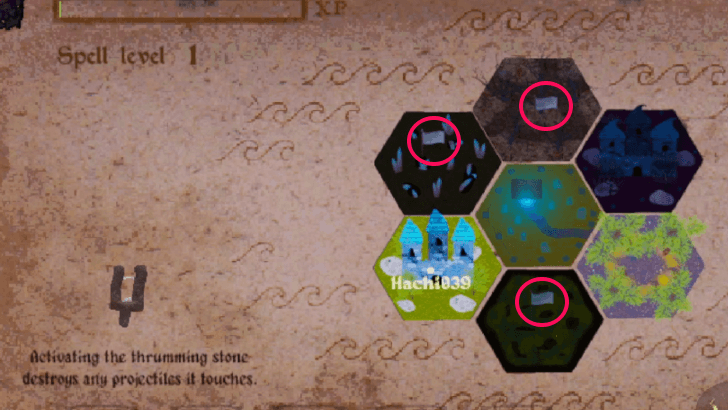
Note that the biomes available per game are random!
Capturing the biomes with flagpoles allows your team to gain resources and XP to make your Spells stronger. To know which biomes have flagpoles, open your map by pressing Q.
Explore the Biomes without Flags as Well
| Biome | Description |
|---|---|
 Cemetery Cemetery |
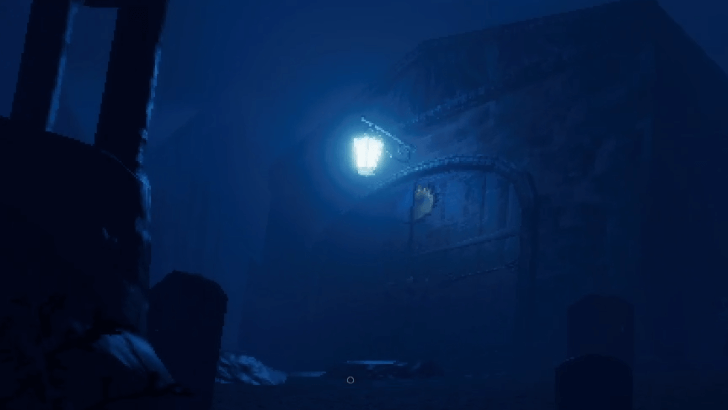 You can find Excalibur's parts in this Biome, but beware of the Skeletons roaming here. |
 Gnome Forest Gnome Forest |
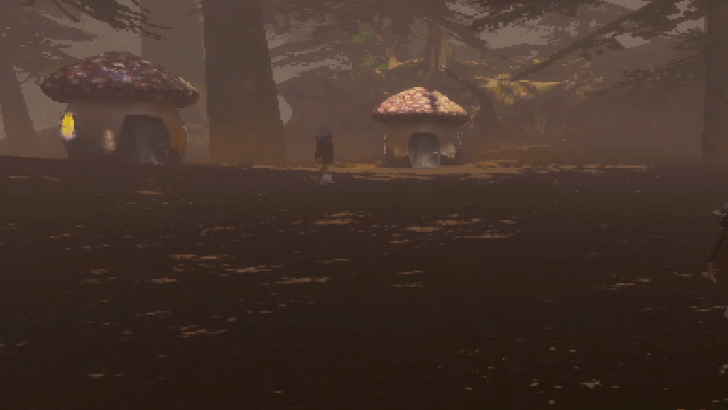 You can talk with the Gnomes to trade for an item on hand. |
 Lava Castle Lava Castle |
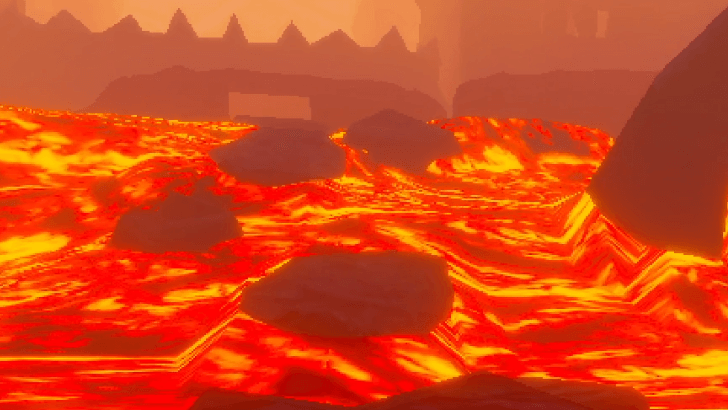 There's usually a chest that contains spells in the castle. |
We recommend still exploring the Biomes without flags since you can encounter NPCs or obtain loot from there as well!
Capture the Enemy Team's Flag to Win
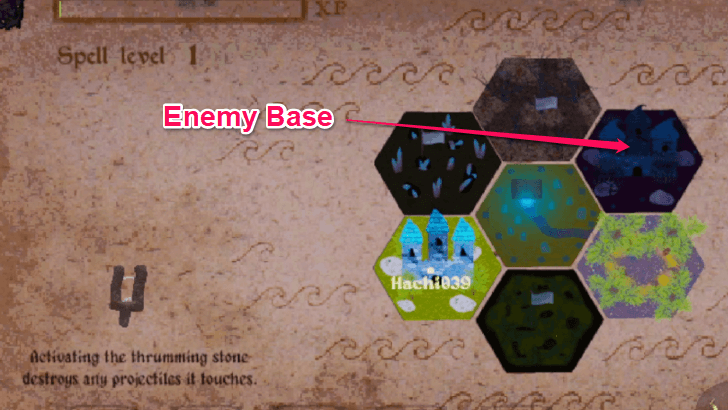
If you are a Warlock, the enemy base is on the player's position above!
To win the game a game of Capture the Flag, you need to capture the flag on the enemy's base to disable them from respawning and then wiping them out.
To enter the enemy's base you can either enter the castle's main entrance if its open or use items such as the Levitator and Bounce Mush to enter the castle from above!
Flag Locations and How to Capture Them
Keep Your Flags Alive to Respawn
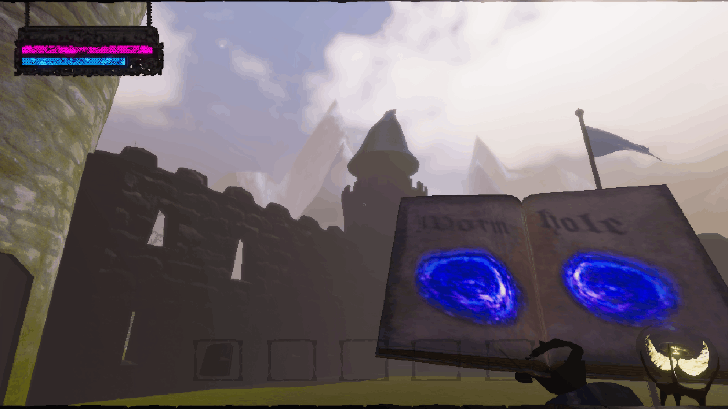
To be able to respawn consistently, you must keep all your flags alive as well while also capturing the flags of the opposing team to prevent them from respawning!
Beginner Tips and Tricks
| List of Beginner Tips |
|---|
|
|
Pay Attention to Your Health
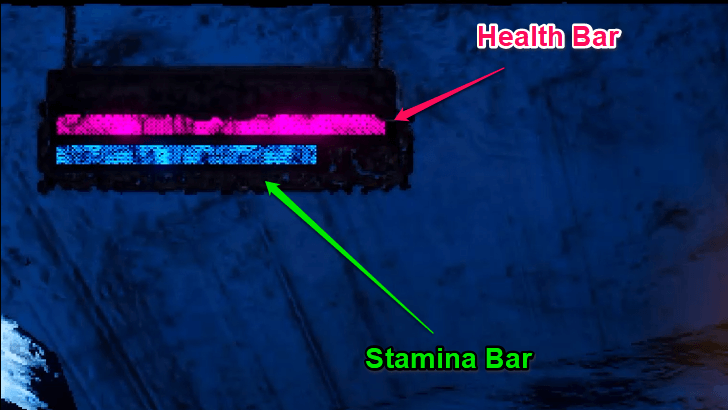
It is important that you are always aware of how much health and stamina you currently have so that you can decide whether to retreat from battle or continue ganking the enemy team.
As shown in the image above, the red bar dictates your health while the blue bar corresponds to your stamina. Do note that casting spells do not deplete stamina. The only way to deplete your stamina is by sprinting.
Adjust Your Keybinds
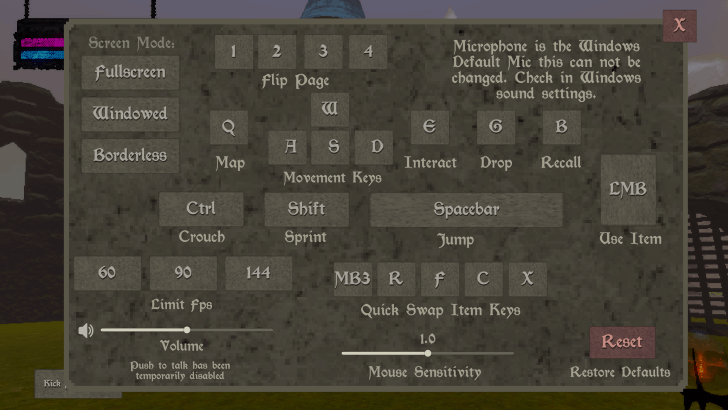
We recommend adjusting your Quick Swap Item Keys to Z, X, C, and V for ease of use. But, your keybinds still depends on user preference, so feel free to reassign the buttons to other keys.
Look Out for NPCs and Enemies
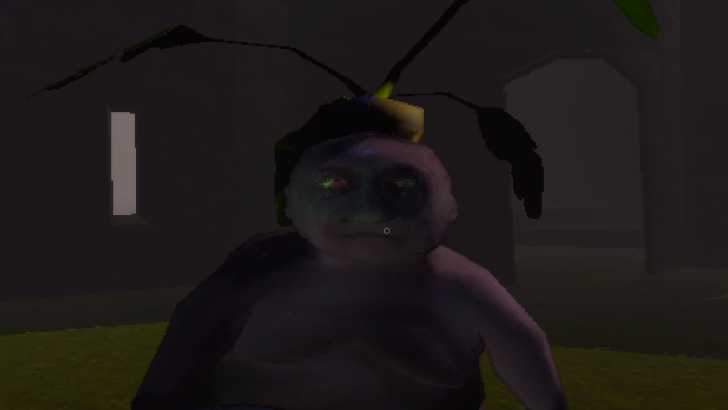
Other than the players part of the enemy team, Mage Arena's map is also filled with NPCs, some of which are hostile, such as the Skeletons. The Soup Man NPC inside your base, for example, can make soup. You can give it any item, and it will turn them into soup, granting you buffs.
Drop Items for Your Teammates
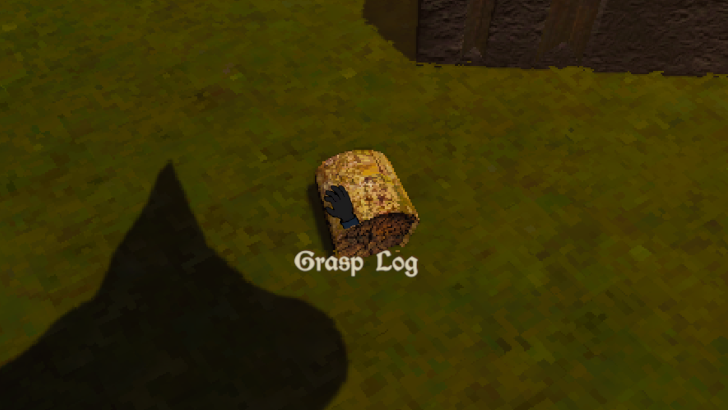
You can drop items by pressing G. This way, you can give items to your teammates or whatever resources they need to craft new items.
Get Excalibur Immediately
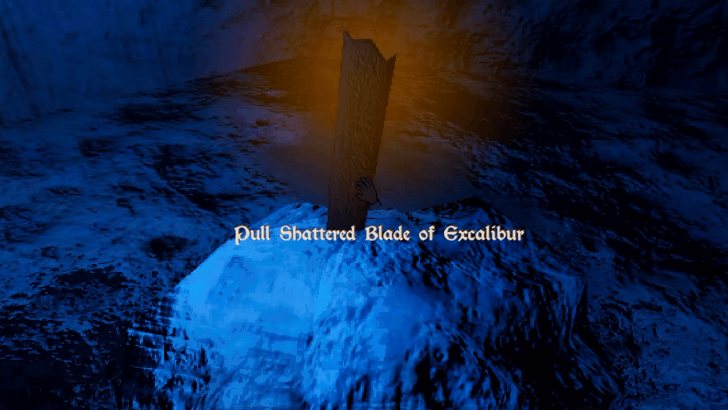
We recommend going to the Mausoleum right away to get Excalibur's two parts and crafting the sword. Excalibur is a strong weapon to craft since it can 1-hit enemies!
Secrets and Easter Eggs
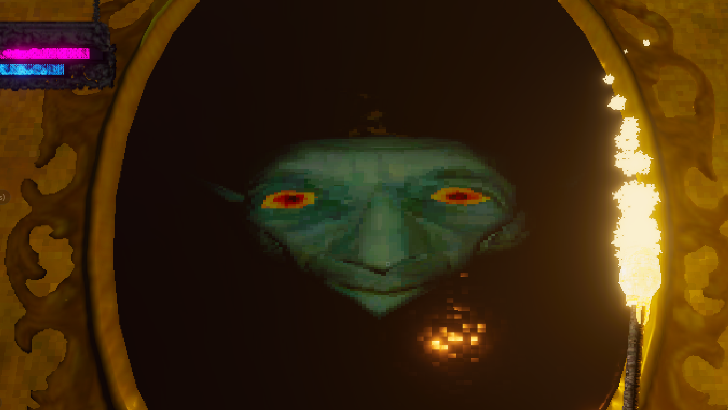
Look out for some secrets and easter eggs in the game, like the Magic Mirror and Biden Blast spell!
List of All Secrets and Easter Eggs
Mage Arena Related Guides
| Mage Arena Wiki Contents | |
|---|---|
 Spells Spells |
 Items Items |
 Tips and Tricks Tips and Tricks |
 NPCs NPCs |
 Biomes Biomes |
 Latest News Latest News |
All Recommended Guides
| Meta Guides | |
|---|---|
 Best Items Best Items |
 Best Spells Best Spells |
 Best Strategies to Win Best Strategies to Win |
- |
| Message Boards | |
 Flag Design Sharing Board Flag Design Sharing Board
|
 Friend Recruitment Board Friend Recruitment Board |
Comment



Author
Beginner's Guide and Starting Tips

Rankings
- We could not find the message board you were looking for.
Gaming News




![Monster Hunter Stories 3 Review [First Impressions] | Simply Rejuvenating](https://img.game8.co/4438641/2a31b7702bd70e78ec8efd24661dacda.jpeg/thumb)
Popular Games

Genshin Impact Walkthrough & Guides Wiki
Honkai: Star Rail Walkthrough & Guides Wiki
Umamusume: Pretty Derby Walkthrough & Guides Wiki
Pokemon Pokopia Walkthrough & Guides Wiki
Resident Evil Requiem (RE9) Walkthrough & Guides Wiki
Monster Hunter Wilds Walkthrough & Guides Wiki
Wuthering Waves Walkthrough & Guides Wiki
Arknights: Endfield Walkthrough & Guides Wiki
Pokemon FireRed and LeafGreen (FRLG) Walkthrough & Guides Wiki
Pokemon TCG Pocket (PTCGP) Strategies & Guides Wiki










Recommended Games
Diablo 4: Vessel of Hatred Walkthrough & Guides Wiki
Cyberpunk 2077: Ultimate Edition Walkthrough & Guides Wiki
Fire Emblem Heroes (FEH) Walkthrough & Guides Wiki
Yu-Gi-Oh! Master Duel Walkthrough & Guides Wiki
Super Smash Bros. Ultimate Walkthrough & Guides Wiki
Pokemon Brilliant Diamond and Shining Pearl (BDSP) Walkthrough & Guides Wiki
Elden Ring Shadow of the Erdtree Walkthrough & Guides Wiki
Monster Hunter World Walkthrough & Guides Wiki
The Legend of Zelda: Tears of the Kingdom Walkthrough & Guides Wiki
Persona 3 Reload Walkthrough & Guides Wiki










All rights reserved
© 2025 jrsjams
The copyrights of videos of games used in our content and other intellectual property rights belong to the provider of the game.
The contents we provide on this site were created personally by members of the Game8 editorial department.
We refuse the right to reuse or repost content taken without our permission such as data or images to other sites.