Xbox sent over a ROG Xbox Ally X for us to review ahead of its launch. We explore how it feels to play with it, and whether the software has made Windows a competitor against SteamOS.
A thanks to Xbox for sending over the device for review. A disclaimer though: No money was exchanged for this review and they did not have any editorial input in this article. They’re reading it for the first time at the same time you are.
Quick Verdict
For those short on time, here's the bottom line: the ROG Xbox Ally X is the most powerful Windows handheld that you can buy today, made more impressive with its battery life. But while the full screen Xbox experience does many things right to consolize Windows, it still has many areas for improvement.
ROG Xbox Ally X (2025) Review | Has Xbox Consolized Windows?
In Search of the Perfect PC Handheld
Handheld gaming PCs have always fascinated me. The Nintendo Switch might have been the one to spark an arms race around gaming handhelds in general, but I’ve been especially interested in PC handhelds ever since the GPD Win back in 2016. The idea of having my PC games in my pocket appealed to me, having grown up with a PSP.
But the interest never led to any purchases; the options at the time were prohibitively expensive for my teenage self, for one thing. And, abysmal battery life aside, the power, ergonomics, and general user experience just didn’t seem worth it.
After all, for my ideal device, the games should just work without any fiddling, like a handheld console, have a standby mode that lets you stop and start at any moment, fit in my pocket, play for several hours, and also double as my PC if I needed it.
Since the PSP, even though the technology has developed and the number of competitors has increased (and my wallet upgraded to an Adult Wallet, now able to hold 200 rupees), the same story seems to repeat itself—compromises must always be made in this tug of war between power, portability, battery life, and user experience.
Windows Prevents Windows Handhelds From Success
Despite that ongoing tug of war, it’s user experience that has likely been the biggest factor preventing PC handhelds from going mainstream in 2025. By running Windows, these devices inherently carry an unavoidable layer of bloat. It’s not really Windows’ fault. It’s a general-purpose OS placed on a single-purpose device, after all, but that explanation means little to the end user.
Then comes the ROG Xbox Ally X, with an unwieldy name but, hopefully, a more wieldy form factor. The ROG Xbox Ally X was first revealed back in June during the Xbox Games Showcase at Summer Game Fest, when people were still sniffing around for any hint of Silksong (which did actually appear in the trailer). The device was shown to be essentially the yearly upgrade of the ROG Ally X, an already well-regarded PC handheld, reshaped and expanded to include controller grips on the sides.
More than the ergonomic improvements, however, the trailer emphasized an Xbox-like experience. The promise was simple: Windows would stay out of the way, letting players focus on gaming—much like SteamOS does.
Did they deliver?
Unboxing A Veritable Powerhouse
| Feature | ASUS ROG Xbox Ally X (2025) |
|---|---|
| CPU/GPU | AMD Ryzen AI Z2 Extreme |
| RAM | 24 GB LPDDR5X-8000MHz |
| Storage | 1 TB M.2 2280 NVMe SSD (Upgradable) |
| Display | 7-inch, 1920×1080 IPS, 120Hz, 500 nits, Corning Gorilla Glass Victus |
| Battery | 80 Wh |
| Ports | 1× USB-C (USB4), 1× USB-C 3.2, 1× MicroSD, 1× 3.5 mm combo audio jack |
| OS | Windows 11 Home |
| Weight | 715 g (1.57 lb) |
| Price | 999 USD |
I’m what you might call a casual enthusiast. I enjoy keeping up with the industry and learning about new devices and technologies. I have a general idea of which GPU outperforms another, but I’m not so invested that I’ll pore over exact numbers to see which one scores higher. Seeing one device get 4000 on 3DMark while another gets 4001 just makes my eyes glaze over—and I have no desire to spend hours fine-tuning settings to squeeze out every last FPS.
For that level of detail, you’re better off following local tech tips from YouTubers, the ones with dedicated labs and the budget to test that stuff properly. I know I will.
As for me, I just want to answer one simple question: what’s it actually like to use the thing?
Weight, Ergonomics & Controls: Surprisingly Comfortable to Hold
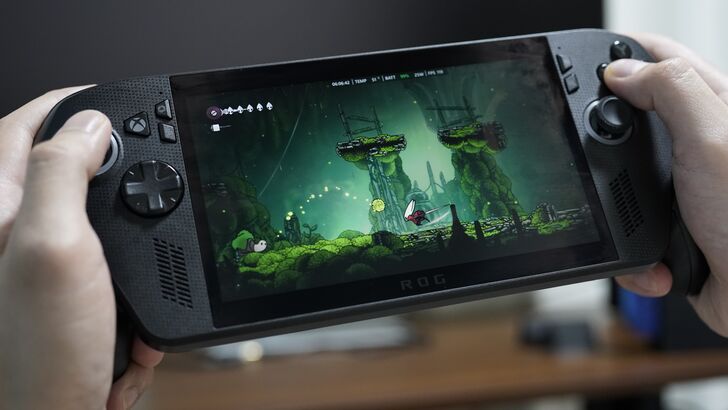
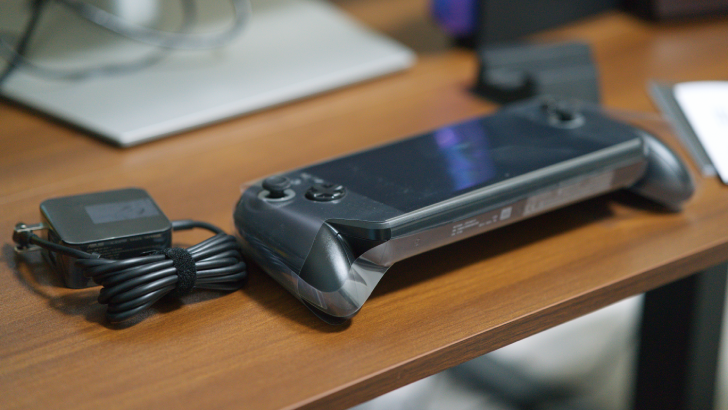
The unboxing was simple and straightforward, containing just the device, charger, paperwork, and a cardboard stand. The first thing you’ll notice once you pull it out, though, is its solid, weighty feel.
For those coming from a Switch or Android handheld, it might be a bit of a shock. Anyone familiar with PC handhelds will have more grounded expectations, though there’s still an immediate appreciation for its heft.
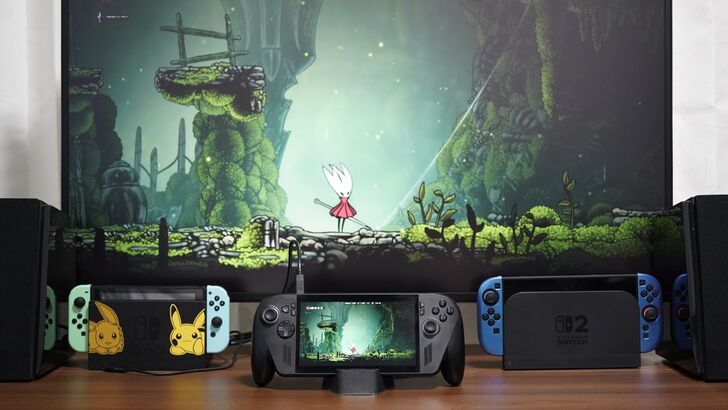
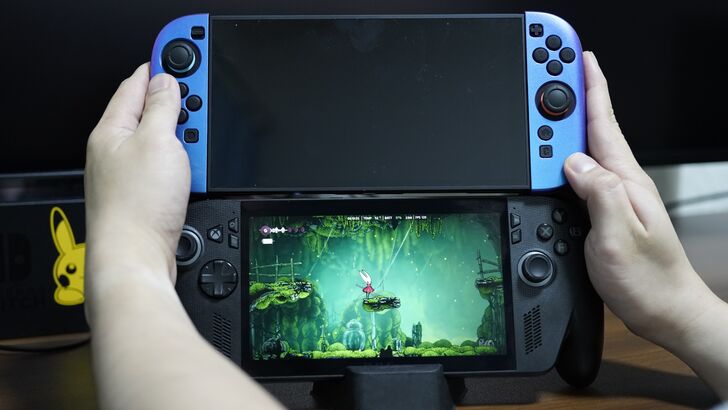
It’s slightly wider than the Switch 2 (thanks to the grips) and about twice as thick. Let’s not even bother comparing weights.
But the magic happens once you actually hold it by its controller grips; the weight suddenly feels much more balanced and comfortable, even during long sessions. Sitting down and playing for three hours never put any noticeable strain on my wrists or hands.
Didn't Just Cut an Xbox Controller in Half
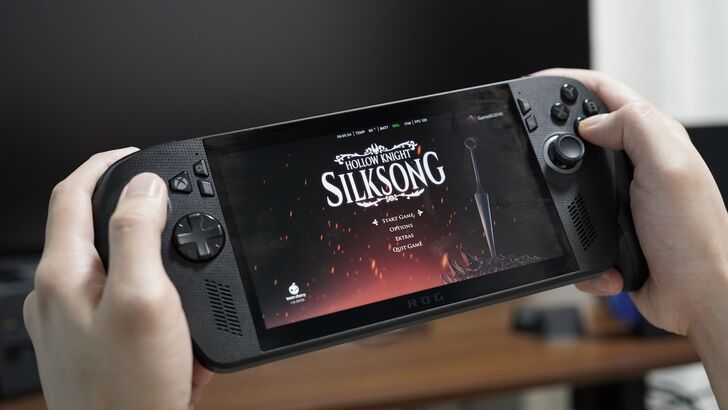
While I initially thought they were looking to make it feel like they cut an Xbox controller in half, slapped them on the sides of a monitor, and called it a day (a la the PlayStation Portal), it's obviously more "inspired" by them.
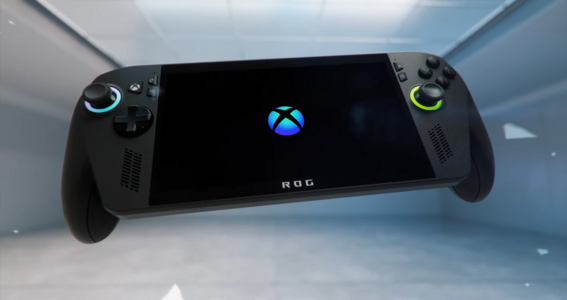
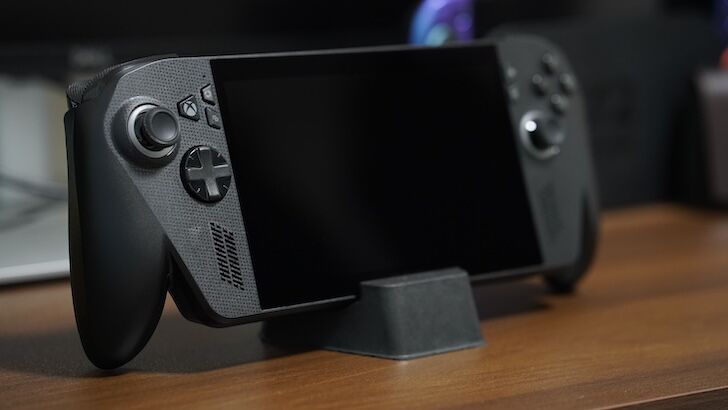
The texturing below, the button placement, the d-pad, and the joysticks—they'll all feel familiar to those who use Xbox controllers. The angle of the grips, however, will be the biggest difference, as it points downward rather than flaring to the sides to avoid making the device any wider than it already is. In fact, people with smaller hands might have some difficulty gripping it for longer periods of time.
The grips were the perfect size for my hands. With them, your hands stay safely away from any heat from the device while making it more comfortable to hold during longer play sessions.
The buttons were ok. Trying to play quietly with the fans set to silent is impossible once you dare to release a button after pressing it. The B button, in particular, felt like it might get stuck before snapping back a little too aggressively.
That’s admittedly a nitpick, though. The controls overall were perfectly fine, and the joysticks were especially nice—smooth, accurate, and free of any scratchiness.
Probably the worst part was having to use the touchscreen as a keyboard at times. Stretching your fingers to reach the keys just isn’t worth it. I often ended up holding the device in one hand and typing with the other, or setting it on my lap or a table to type more comfortably.
Setting Up: Still A PC After All
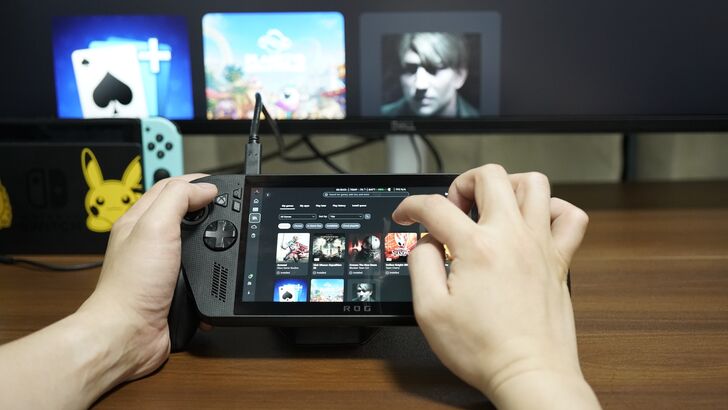
Despite the "This is an Xbox" tagline, new owners should be ready for the typical PC setup process. The initial boot-up is more or less your standard Windows 11 installation, which can be clumsy on a 7-inch touchscreen surrounded by control grips. Be prepared to spend at least an hour tethered to a wall outlet as the device runs through a cascade of updates: Windows updates, Armoury Crate SE updates, driver updates, and MyASUS firmware flashes.
This initial hurdle is a stark reminder that, unlike the console-like simplicity of a Steam Deck, the Xbox Ally X is a compact Windows PC.
I will mention, however, that this was my experience having received the device early, and the major updates had not been preinstalled. Hopefully, post-launch, the device comes with everything that is needed to work right off the bat.
Once everything is set up, the Xbox app becomes the central nervous system, providing a controller-friendly launcher for your games. ASUS’s Armoury Crate SE is also still here and provides a quick-access Command Center for on-the-fly adjustments to power modes, screen brightness, and more. And when you feel lonely without the start menu button, the desktop experience is always just a tap away
Crisp Display and Even Crisper Sound
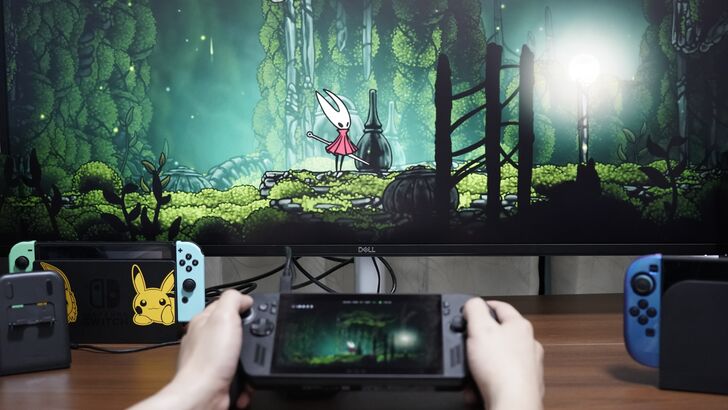
If you've owned the ROG Ally X, the display shouldn't be anything new, as they're delivering the same 1080p, 120hz experience in a 7” package. It can easily switch between 1080p, 900p and 720p, and that's all it really needs. Anything 1440p and beyond would be pointless at this size.
The colors are bold, though it would lose to the OLED screens that you would find on competitor devices. At 500 nits, it's likely not bright enough to comfortably play out in direct sunlight, but it should have no issues for indoor gaming.
More impressive were the front firing stereo speakers; max volume fills the room without distorting the audio and provides the slightest amount of bass. The sound stage was also much larger than I expected. It obviously won't replace having actual speakers, but it was plenty for leaving Clair Obscur 33's menu screen on to enjoy the operatic singing of the opening theme.
Fan noise can whir up on the higher power profiles in quiet rooms, but there was no coil whine during my time with it. Any fan noise would be easily drowned out by any sound from the things you’re playing.
Battery Life Remains Solid as Efficiency Increases
| Game | Power Profile | FPS | Drain per Hour | Total Battery Life (from 100%) |
|---|---|---|---|---|
| Clair Obscur: Expedition 33 | Turbo Mode | ~38 FPS | 48% | ~2 hours, 5 minutes |
| Clair Obscur: Expedition 33 | Performance Mode | ~30 FPS | 34% (average) | ~2 hours, 56 minutes |
| Clair Obscur: Expedition 33 | Silent Mode | ~20 FPS | 24% | ~4 hours, 10 minutes |
| Hollow Knight: Silksong | Silent Mode | 120 FPS | 25% | ~4 hours, 0 minutes |
Let's be clear: if you intend to run demanding AAA titles in Turbo mode, you are still living on a two to three hour leash. Playing Clair Obscur: Expedition 33 at medium graphics and 80% brightness, I saw the battery plummet by 24% in just 30 minutes on the Turbo Mode. While I got a respectable 38-40 FPS, it's an experience best had in short bursts or when you’re within sprinting distance of a wall outlet.
This is where the Z2's power efficiency becomes the key to unlocking the device's potential. By switching to the Performance setting, I could lock the same game to a perfectly playable 30 FPS, and the battery drain immediately became more manageable. This mode saw a range of over 3 hours, the sweet spot for a proper, unplugged gaming session.
Going down further into Silent mode started to push the FPS to around 20ish FPS, which is a playable, "cinematic" experience, but not what most gamers would find enjoyable. The true use for this mode, however, is for less demanding titles or highly optimized games. When I spent an evening playing the Silksong with the Silent profile, I was able to hit a flawless 120 FPS for a solid four hours.
Media and Travel: An All-Day Companion
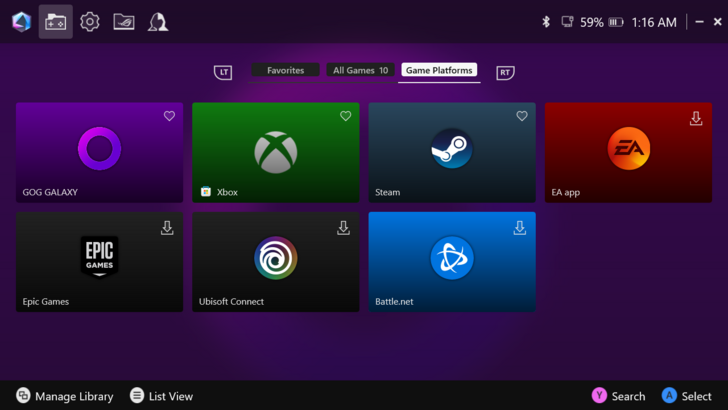
Beyond gaming, the ROG Xbox Ally X proved to be an exceptional media device. I streamed over three hours of 1080p video on YouTube, and the battery barely dropped below 70%. From what I saw, you can expect an impressive 11 hours of 1080p playback and over 8 hours for higher-resolution 4K content (though it doesn't really make sense to play it at 4k on this 7” 1080p screen). While it's not the most ideal watching experience, as it lacks a dedicated kickstand, if you can figure out a comfortable way to stand it up, it's certainly an option.
| Use Case | Drain per Hour | Total Battery Life (from 100%) |
|---|---|---|
| 4K Streaming (Silent Mode) | 12% | ~8 hours, 20 minutes |
| 1080p Streaming (Silent Mode) | 9% | ~11 hours, 6 minutes |
Ultimately, the ROG Ally X’s battery story is one of versatility. It has the raw power to drain its 80Wh cell in two hours if you demand it, but it also has the efficiency to last an entire cross-country flight if you're watching movies or playing indie games. The device continues the trend to show that technology is getting to a point where you can decide what matters most at any given moment: raw power or unplugged freedom.
Does the Xbox Full Screen Experience (FSE) Rival SteamOS?
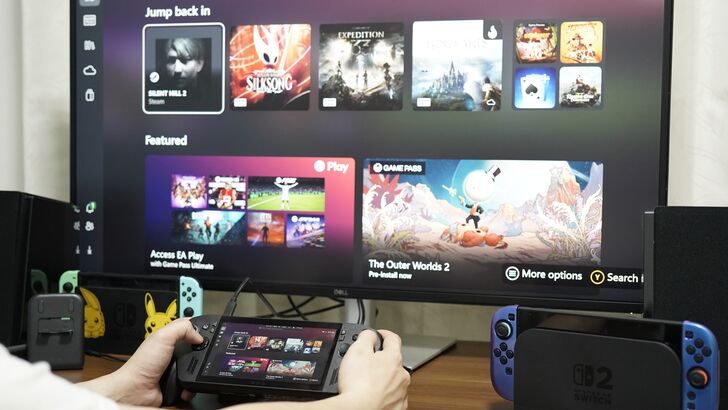
Hardware paints maybe 40% of the picture here. The ROG Xbox Ally X's draw over just a regular yearly upgrade is the Xbox of it all. So the main question here is has Xbox managed to consolize the PC gaming handheld scene, rivaling the SteamOS' of the world?
And the short answer is a resounding "No," followed up by a booming "but there's potential."
Let's go over what it does well first.
Standby Works Shockingly Well
During my time with the ROG Xbox Ally X, I was most impressed by its standby mode. The experience was simple: tap the power button and it sleeps. Tap it again and it wakes. It doesn't matter if the game is still playing; it'll rewake right where you left off.
| Use Case | Drain per Hour | Total Battery Life (from 100%) |
|---|---|---|
| Standby (Game in Background) | ~0.62% | ~6 days, 16 hours |
| Standby (No Game in Background) | ~0.29% | ~14 days, 9 hours |
Most importantly, the battery will not have drained much at all. I left the device in sleep mode overnight on my desk, paused on Silksong, and was relieved to see it had only lost about 6% of its charge by the next morning. This is a massive quality-of-life win; there's nothing worse than pulling out a device for your commute only to find it dead.
For those who are only used to smartphones or iPads, you might be thinking "Well, yeah, duh, that’s how it’s supposed to be." But this kind of thing just isn't expected of a Windows device. There are horror stories of ghosts suddenly waking the device for no reason while the device is in your bag, and you take it out, piping hot and on 3% left. Before this, your best bet would be to put your device into hibernate, but all of those extra steps are now circumvented with just a single button press.
Out of Box Experience Feels A Lot More Intuitive
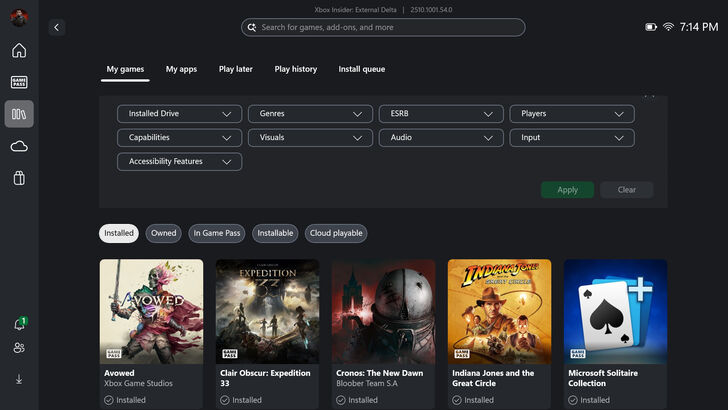
Once you've gone through all the updates, the actual experience is a lot more intuitive, like a console. It always immediately kicks you to the Xbox app, where you'll be greeted with games that you own and featured games on the Xbox platform.
Given that the main method of actually interacting with the device is a touchscreen, it makes sense to adopt a lot of the UX from tablets and phones, while providing ways for users to do those same things with buttons.
Alt + Tabbing, or Task View, adopts a modern smartphone-like gesture of swiping up from the bottom, or can be more easily accessed by long pressing the Xbox button. The command center allows you to put the most important settings to you in a convenient location, where you can swipe in from the left or press the Armory Crate button. For me, I put the different power modes and control modes front and center up top, and then smaller buttons for changing resolutions and FPS.
Adding storefronts is extremely simple through Armory Crate and even the Xbox app. It'll have Steam pre-installed, and most of the other major store fronts, like GoG (which I feel doesn't get enough recognition for its anti-DRM practices) will have shortcuts to their relevant installers. All of your games are gathered in the library, which you can access with the touch of a button, and while starting a game outside of the Xbox platform takes a moment to open the relevant launcher, it's a fairly smooth process to get in and out of games.
Things are snappy, and for the most part, there are barely ever any hangups… Until there are.
The Not-So-Great
Windows Rears Its End
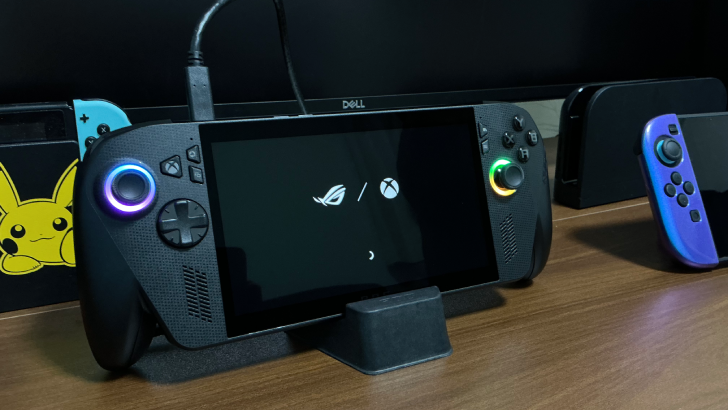
The Xbox Full Screen Experience does a lot to get Windows out of the user's way. But it hasn't fully gotten into all of the weeds. For me, several issues popped up that smelled explicitly a Windows issue.
For example, while the standby usually works great, when I tried to charge it while it was in Standby, it started to wind up the fans as though it was turning on, only to turn off again. It would do this continuously, with the RGB around the sticks alternating as well.
My theory is that the power profile for being plugged in (Turbo) was fighting with the power profile it was originally on when it was put into standby (Silent), and so it just kept going crazy. It wouldn't even let me wake it back up. Unplugging it, waking it up, plugging it in and then putting it back to sleep fixed the issue.
Probably the worst bug though, and I can’t tell if this was a pre-release issue, is that on two occasions, it just wouldn’t turn on. I’d long hold the power button, tap it furiously, try ↑↑↓↓←→←→B, A, power button, but nothing would happen. I plugged the charger cable in, left it alone for a few hours and came back to it, and then it suddenly turned on just fine.
Given the performance of the standby mode I’d seen, I can’t imagine it’s just a matter of an empty battery, but if it is, there should be an indicator of sorts when trying to start it up. If it’s not, and I really don’t think it is, I hope it gets ironed out post launch.
Can't Stick to One Control Scheme
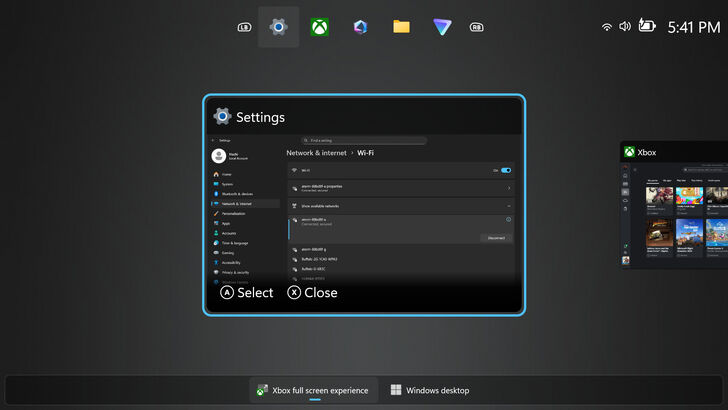
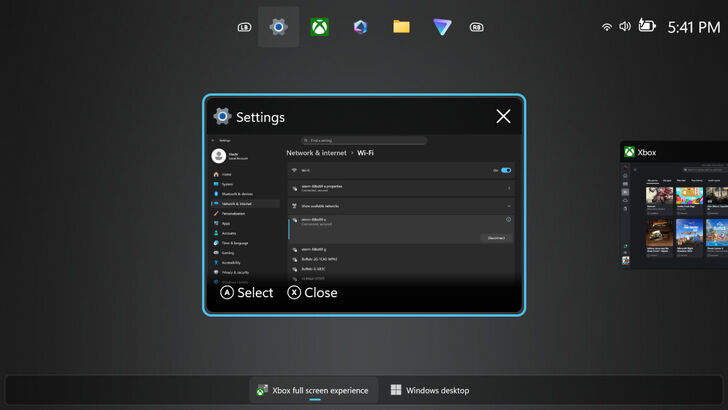
Another issue is the mishmash between wanting the user to use physical controls alongside touch controls. Let's say you swipe up for the task view. No lag, no issues. But then it displays Select and Close with the buttons to use to choose each (A and X). You're in the middle of using touch, so you decide to tap the Close button next to the X.
Nope, wrong. You were supposed to tap the hidden X button on the corner of the window. Duh.
Or you're cruising along with the controller scheme, clicking into things and browsing through the different options with the d-pad, but then there's something you can't select with the controller alone, so you gotta switch to touch. Or maybe you wanna type something. Can't use the controller for that, like so many other consoles allow you to do; you gotta type to touch. And good luck getting the keyboard to show up consistently in the first play.
A Marked Waste of Buttons
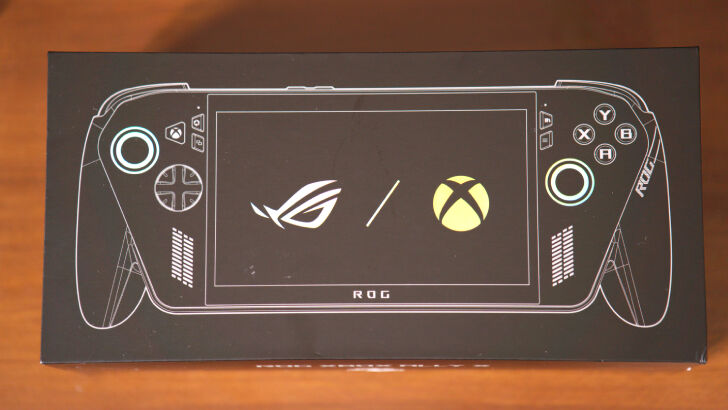
This is likely just going to be a me thing, but there are way too many buttons dedicated to going to specific spaces that I feel would be better used otherwise. The Xbox button opens the Command Center, fine. But the Armory Crate button ALSO opens the Command Center, only on a different page. Why??
Long pressing the Xbox button opens the Task view. Great! Long pressing the Armory Crate button opens Copilot. Uhh, ok sure. They've been wanting to push Copilot for a while. The Library button brings you to the Games Library, which could also just be quickly accessed within the Command Center. Long pressing the Library button also lets you talk to Copilot. Again, why?
There are also the View and Menu buttons, which are used to display different contextual menus. Sure, that can't be helped. Some people put menus under Esc, others in the Alt button. Long pressing them? Does nothing.
An honest waste of other useful shortcuts, like maybe a screenshot button or a back button. There are ways to reprogram the buttons, and the two back buttons may be especially useful for that, but I feel these things should just be part of the base experience.
You'll Still Fiddle With Settings
Probably one of the main draws for a console over a PC is not needing to fiddle with the settings too much. All the consoles have the same hardware, so it can be optimized for. You just open it up, and it plays as well as the developer optimizes for it. The most you'll have to fiddle with is to go into either Performance Mode or Quality Mode.
PC, on the other hand, has an infinite number of combinations of hardware across an endless number of games, making it an almost impossible task to have pre-set settings that account for them all. And despite the efforts to consolize the PC experience, this is still apparent on the ROG Xbox Ally X.
This might just age me, but things have gotten really confusing for me since I was a teenager. It used to be that if you lower the settings and lower the resolution, you would get better performance. But then in comes upscaling, with 30 different methods to do it, and each with their own naming schemes for quality or performance. And, maybe I'm just too dumb to get it, but sometimes the different settings don't yield different results for me at all. The image will get cracklier, but the FPS remains steady.
I don't wanna deal with all of that. I just wanna play games.
Again, it's an insanely difficult task, but if they're claiming that this is an Xbox, there are expectations that come along with that. I would love for a way to choose at most two different things: how much power I want to use, and how pretty do I want the graphics to be. Or what FPS I want to aim for. From there, it should automatically make the adjustments within the game, and if I want to go further into detail, then that option is available too.
Now, notice I said it's an almost impossible task. That's because in this age of AI, I feel like that should be possible. Rather than push Recall onto users with a device that's likely going to only be used for gaming, I wish they would use AI for that instead.
Not Enough Windows
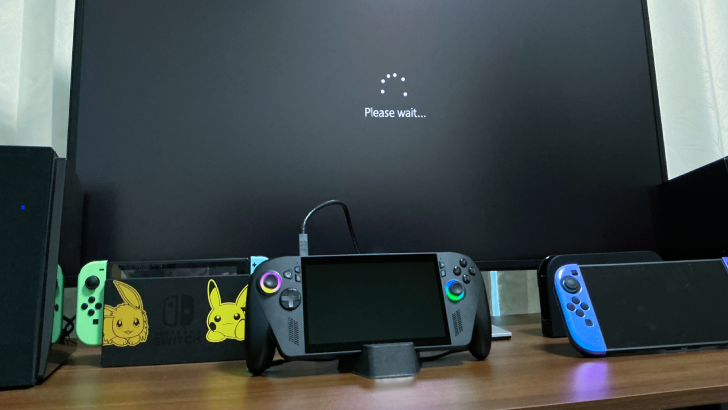
The exact opposite case was a problem too. Another area of appeal for PC gaming handhelds is that it’s a PC. Running full Windows means you can do more than just play games on this device, and actually get work done.
Sure, if you’re planning to do school work, you can easily connect a monitor via USB-C with a wireless keyboard and mouse over Bluetooth and have a mobile PC experience on the desktop mode that way. But if you just want a little bit more utility while in the FSE mode, you’re in for a rough time.
If you didn’t know better, you might have never realized that you can actually run applications without having to go into the desktop mode. There’s a "My apps" tab within the Xbox app, but I couldn’t figure out if you could add any programs into. Armory Crate allows you to add programs in your "Games" folder, and start them up from there. But why it isn’t just a built-in function into the FSE is confusing to me.
Why would you want to do that? Well, if you want to get to a browser other than Edge, there’s not an easy way to get to it from the Xbox app. If you want to get to File Explorer, jump through a few hoops.
That’s another thing: there’s a lack of onboarding as to what things do what. It might be apparent to the people who live and breathe this stuff, but if this is your first exposure to this kind of environment, you’re sure to miss out on some functionality.
Is the ROG Xbox Ally X Worth It?
For Those Who Want AAA On the Go, Couch or Bed
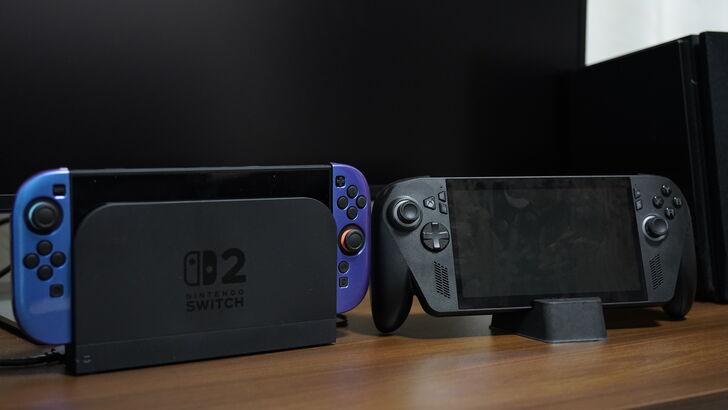
So obviously, there are still several bugs or edge cases they haven't gotten to fixing yet. But honestly, these are nitpicks, (especially personal nitpicks from a person that has an unrealistic ideal device in mind). While I’ll continue to be on the lookout for my perfect device, overall, I really enjoyed my time with the ROG Xbox Ally X.
The thousand dollar question, however, is if it's worth its thousand dollar price. And to that, I would say yes.
Now, it's not a yes for everyone, but it rarely ever is. The yes is for the people who want their AAA games on the go without having to worry about their performance. The processor and 80Wh battery are ways to just brute force its way into playing those games, similar to buy a 5090 or two to run Monster Hunter Wilds. And the ROG Xbox Ally X is efficient enough where if you're playing on your commute or during lunch at work, it'll have plenty of juice.
Even more likely, if you want to be able to play your library of games away from the desktop in bed or on the couch, then this is a great fit for it. There’s just something about being able to play lying down that feels comfortable and engrossing. Just be really careful if you have this heavy beast over your head or you might end up chipping a tooth.
It’s NOT for people who ONLY want to play AA/indie games or those who are budget-conscious. This is a luxury item for sure, where portability and power are a priority. For AA/indie games, there are plenty of performant, slimmer, cheaper options for you out there. If money is a factor, compromise will allow you to find cheaper options to achieve similar goals.
This is essentially a miniaturized laptop with grips, as many of its competitors are, and compared to those, the ROG Xbox Ally X is competitively priced. The Lenovo Legion Go 2, similarly equipped with the Ryzen Z2 Extreme but larger, is $1099.99 and the MSI Claw 8 AI+ A2VM (these names…) is $1,149. Many want to compare it to the Steam Deck, but it’s just not in the same class of devices.
The software experience still has a lot of work to do; if you’re expecting a tablet/phone/console-like experience where you just need to press start to play, you’ll find it lacking. But a lot of these issues are things that can be fixed with an update.
That being said, while it's likely they'll continue to work on it, don't buy this for the promise of that potential. As a casual enthusiast, I have the patience and will to work around the jank and issues. You should come in prepared to do the same.
| Available at these stores | |
|---|---|
 ASUS ASUS |
 Microsoft Microsoft |
 Best Buy Best Buy |
|