


The OneXSugar Sugar 1 has been making waves, but does it live up to the hype? Is it just another Android handheld in an overcrowded market or something truly sweet? We’ve put it through its paces, so here’s what you need to know about its design, performance, and value.
OneXSugar Sugar 1 Review
Is the Sugar 1 as Sweet as it Looks?
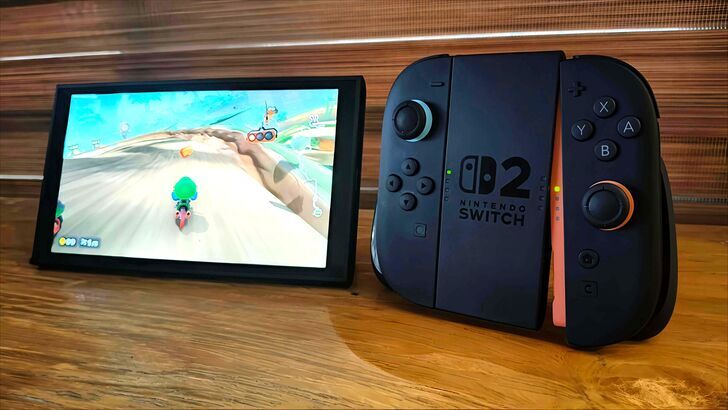
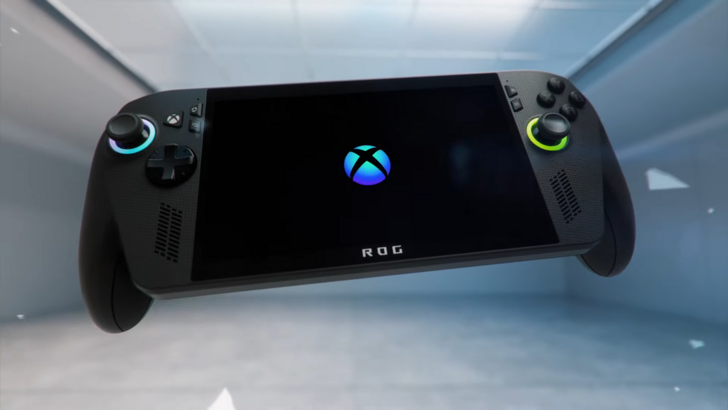
For those in the know, handheld gaming in 2025 can feel a bit overcrowded. Since the release of the original Switch, every other company is serving up its own twist on portable play. Valve’s Steam Deck has carved out a loyal following, ASUS threw down with the ROG Ally, AYANEO keeps dropping new handhelds every other month, and even Logitech tried to enter the scene with a device focused on cloud gaming. And in this competitive space, Android-based handhelds have been muscling in with a promise that sounds almost too good to ignore: full access to a massive app ecosystem, functionality, and customization that goes far beyond what traditional consoles offer, all in a portable form factor.
Joining the growing trend of Android gaming handhelds, One Netbook welcomes its new sub-brand, OneXSugar, designed to capture this market. If the brand sounds familiar, it’s because One Netbook has been carving its niche in the handheld PC gaming space for quite a while now with its ONEXPLAYER series, machines aimed squarely at the enthusiast crowd—full Windows, big power, big screens.
But the OneXSugar Sugar 1 is a different flavor entirely. It’s looking to cozy up to the mobile gamer who wants something that looks and feels "different," for better or worse. Originally teased in late 2024, the Sugar 1 is now finally crowd-funding on Indiegogo. Although we’re still waiting on an exact release date, its dual screen and transformable design aims to redefine what we think a handheld can look like and be.
Novelty, however, doesn’t always translate well to utility, especially in a market as saturated as the Android gaming handheld scene. So this review seeks to answer the real questions: Does the Sugar 1’s transforming design actually enhance the experience or is it merely a gimmick? Can it justify its form factor in a market filled with more powerful, single-screen alternatives? And most importantly, is it worth the $600 to $800 asking price?
A few disclaimers: This review won’t be covering emulation.There are likely several other reviews online that look at its experience there, but we will be looking at the Sugar 1 strictly as an Android device.
We also received the Sugar 1 prototype at no cost, but no money was exchanged for this review and they did not have any editorial input in this article. They’re reading it for the first time at the same time you are.
It’s also worth noting that the prototype we received is not the final retail version, so there may be minor differences in mechanical design by the time the device hits shelves. The hardware and software here are expected to be largely representative of the retail product, but keep in mind that what you see here is based on a pre-release unit.
The OneXSugar More Than Meets the Eye
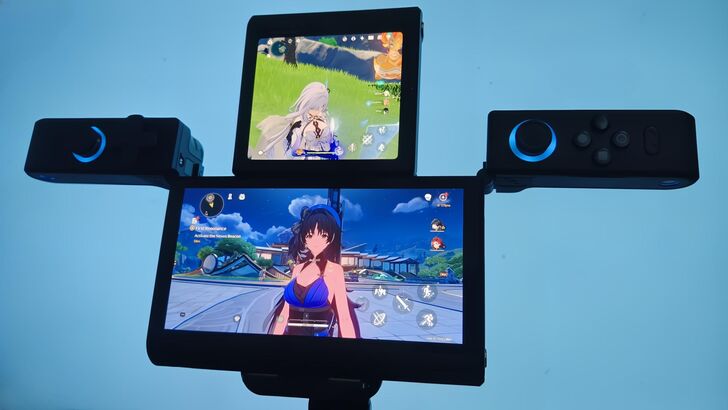
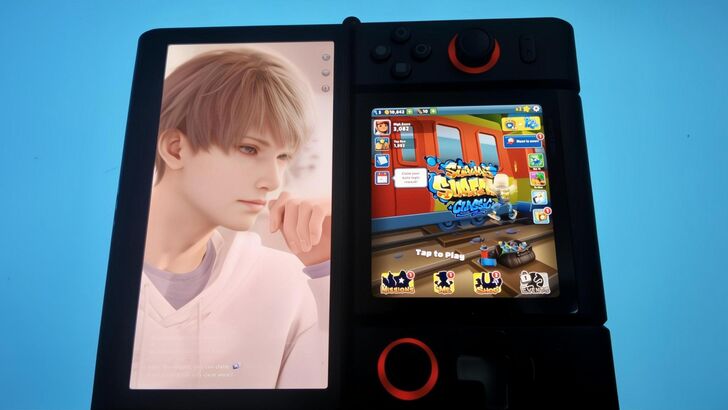
At first glance, the OneXSugar Sugar 1 looks like another portable slab with buttons, but spend a few minutes with it, and you realize the thing has a trick up its sleeve. Or rather, hinge. The Sugar 1’s biggest claim to fame, and the reason it briefly went viral in the past few months, is its transformability. It starts off looking like a smaller, yet chunkier, Nintendo Switch-style handheld, but a secondary screen is tucked behind the main panel that can flip into place and transforms it into a vertical, dual-screen beast, evocative of a Nintendo 3DS.
In single-screen mode, the Sugar 1 measures roughly 218.5 x 92 x 24mm and weighs just about 1.07 lbs. Not exactly pocket-featherlight, but typical for a handheld with this level of tech. This mode is where most native Android gaming happens, and it doubles as a standard Android device when you want to doomscroll on Reddit or binge a few YouTube shorts.
Its large display can be rotated to any orientation, so you can hold it like an oversized phone. But as one would expect, this orientation feels clunky and awkward due to its size and weight. It’s an option, but not one you’ll likely use often. Don’t expect it to replace your actual phone, either. As with most gaming handhelds, there’s no SIM slot here.
Switch it into dual-screen mode, and it stretches to around 184 x 155 x 24mm. It'll still fit in your backpack, but I'd suggest using a travel case for protection, as it doesn’t transform into a clamshell unlike the AYANEO Pocket DS. This mode activates its secondary square screen, which functions much like the bottom display of a Nintendo 3DS, only with a much more quality touchscreen that doesn’t need a stylus.
This runs its own instance of Android, complete with a separate home screen and the ability to launch its own apps or games independently from the main display, though with some feature limitations compared to the primary screen. The controllers rotate to frame this second screen, with the main display positioned above it. It essentially feels like you’re getting two Android devices in one, each running autonomously on the same hardware.
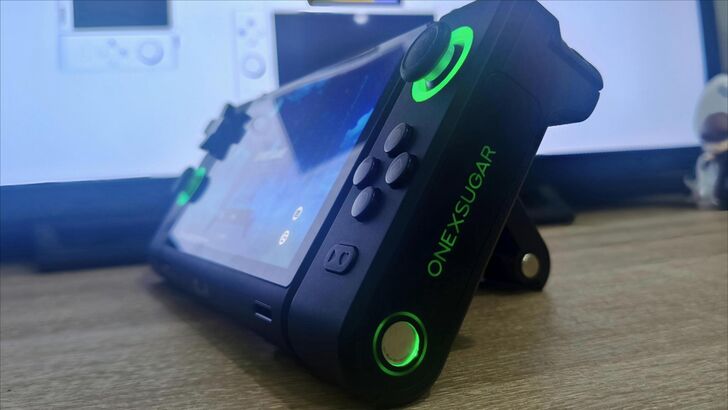
There are a lot of user-friendly additions in its design, too, to accommodate your preferred orientation. You’ve got two power buttons (one on the side for dual-screen mode; one above the display for single-screen), a volume button, and another volume wheel reminiscent of the Game Boy Advance.
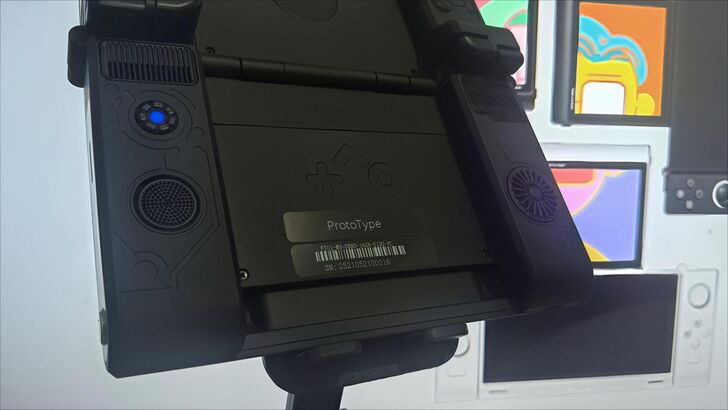
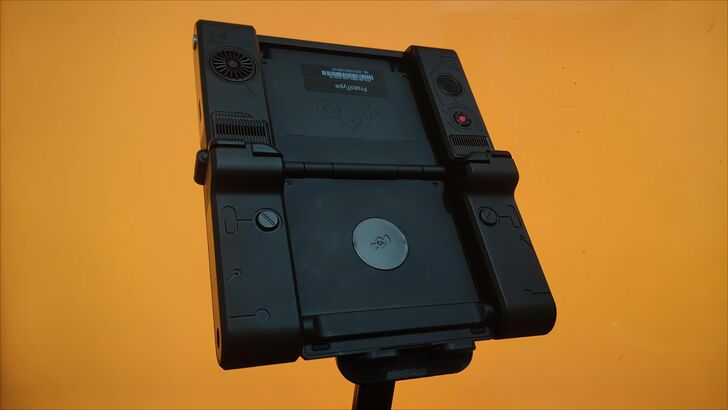
For cooling, there are two fans and two vents on the back of the main display. You’ll also find a micro SD card slot, RGB lighting on the joystick and sides, and a battery life indicator light on the back of the display. Everything added in here is pretty impressive, but it looks and feels overengineered as a result, especially for a portable device.
But that overengineering is well done. Despite the seeming complexity of multiple hinges and moving parts, the device doesn’t feel flimsy nor fragile. Even when I gave it a good shake to see if the main display would wobble like a Nintendo 3DS, it just felt stable. Over the week I’ve had it, I’ve transformed it countless times, and nothing felt loose. Sure, there are parts that look like potential failure points, but they hold up remarkably well under normal use.
One Netbook touts its hinge components as being made from SK7 tool steel, mounted securely to an aluminum-alloy underframe. This means that even on this prototype unit, you still get that Switch 2-esque magnet snaps when repositioning the controllers.
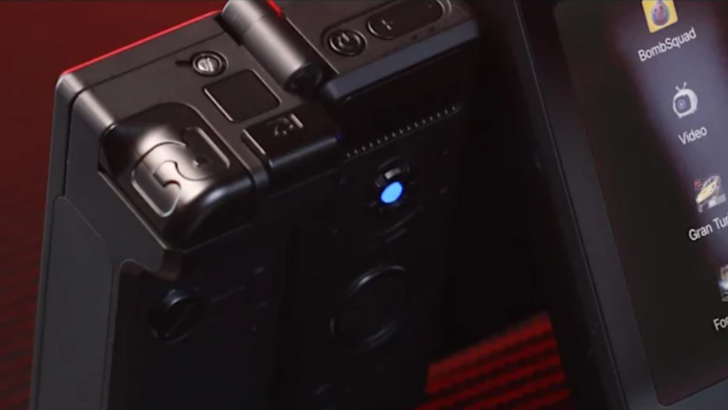
The device also doesn’t feel cheap. The chassis is made primarily of high-quality plastic with a matte finish, and while they look like they can scuff if you toss it into a bag with keys or coins without a travel case, the Sugar 1 generally feels like a well-thought-out piece of hardware.
We’ll still have to wait and see how the device holds up after a month or a year of regular use. But of course, as with any device, it should still be treated with reasonable care. No gadget is invincible (except the old Nokia phones of yore), especially one with a lot of moving parts.
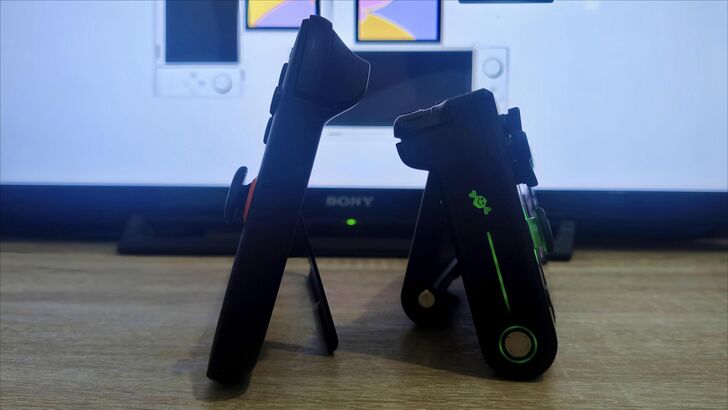
Handhelds of the past always came with the impression of pocketability, whether it be the original Gameboy or the PS Vita, but that trend has been bucking in recent years. So can you fit the Sugar 1 inside your pocket? Technically, yes, you can. Should you? Probably not, unless you enjoy tempting fate with your pricey tech.
In its compact form (single-screen mode), the Sugar 1 is more pocketable than a Steam Deck but still thicker than a Switch 2, so it’ll stick out like a sore thumb if you try to put it inside your jean pocket. Plus, you're risking damage from pocket debris like lint or loose change that could scratch the hinge or wear down the raised thumb grips. I've found it travels well in a backpack or large jacket pocket, but I wouldn't call it truly pocket-friendly.
A Non-Nintendo Switch-DS
Both of the screens the Sugar 1 rocks are impressive OLEDs: a 6.01-inch main display (2160x1080, roughly 402 ppi) and a secondary 3.92-inch OLED (1080x1240). Both are capped at a 60 Hz refresh rate, which is appropriate for the device’s target performance, and brightness clocks in at around 450 nits. This makes it adequate for indoors, passable in shade, but not really ideal on sunny days.
Touch responsiveness is especially slick. Both screens register taps and swipes instantly, and deciding which screen is "active" is as simple as tapping it. Just touch whichever screen you want to use, and the controls follow.
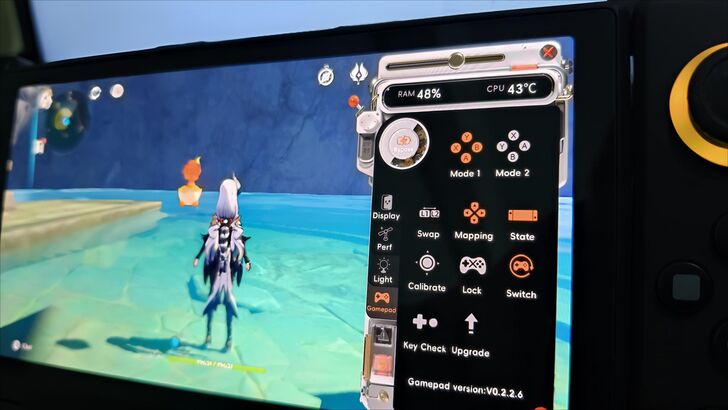
What’s also great about the OneXSugar Sugar 1 is how much you can customize it through the Sugar Console overlay. You’re able to tweak button placements, toggle the RGB lighting, and even swap which display is on the top or bottom screen. Switching displays is also snappy. The screen just darkens briefly before instantly showing what was on the bottom display on the main screen, and vice-versa. Plus, there’s a "Fusion" setting for supported apps that lets you extend one app across both screens.
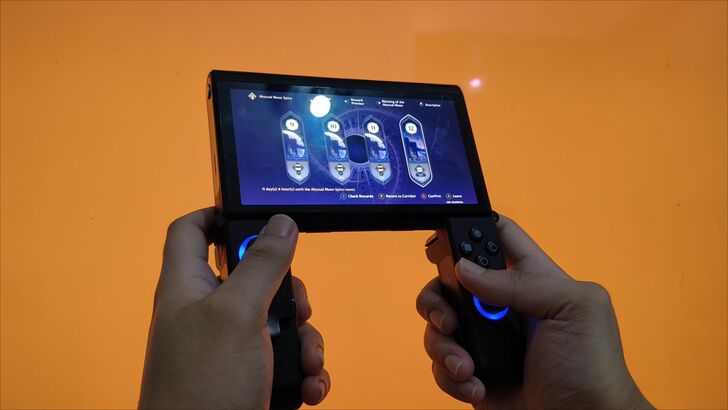
But the Sugar 1’s pièce de résistance is without a doubt the transforming controls. The Sugar 1 includes hall-effect analog sticks, a set of microswitch face buttons, a magnetic attachable D-pad, a pair of shoulder buttons, plus Start, Back, and the Sugar Console overlay button. The clever bit here is that whether in single or dual-screen mode, the analog sticks, triggers, and buttons rotate and remap automatically to match your orientation.
Despite all of these features, however, ergonomics proved mixed in my testing. With my above-average-sized hands, I struggled to find a grip that felt natural. The thumbsticks sit too close to the face buttons when oriented one way, which causes accidental presses mid-game, and the shoulder buttons feel awkwardly placed. They are inline very close together.
The expected use case seems to be using your index fingers for both pairs of triggers. It’s plausible in theory, but twitchy in practice. My smaller-handed friend had a similar experience, so it appears that the discomfort I felt was not user-specific, but rather design-specific.
You could try flipping the second screen behind the display and rotating the controls to dual-screen mode. This creates a gap for your fingers that might feel more comfortable. But to me, it still doesn't feel natural. One Netbook offers $15 grips, which I haven't tried yet, but they might just fix the ergonomic issues I have with the device.
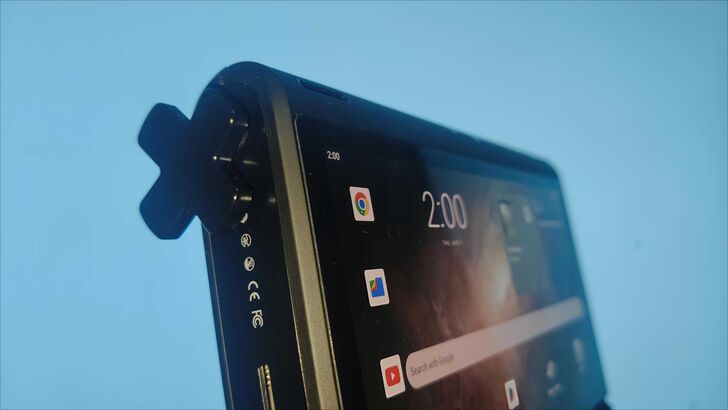
I have a big problem, though, with the magnetic D-pad. Since the face buttons rotate (Switch-style Joy‑Con layout), One Netbook opted to include a cross-D-pad that you can magnetically attach over whichever block of face buttons suits you best. Conceptually, it’s clever, as it allows you to get that D-pad feel no matter the orientation.
In practice, though, I often found it unnecessary and clunky. Tapping down sometimes inadvertently presses left or right, so you have to aim for the button’s furthest edge to prevent those accidental inputs.This is especially an issue in games that demand precise button presses, like fighters or action-heavy gacha, where character switching will often rely on the D-pad.
I was swapping to the wrong character way too frequently, so I often didn’t bother with using the D-pad. On the bright side, it’s an optional thing, with a magnetic resting spot on the chassis, you can stick it on the side when you don’t want to use it.
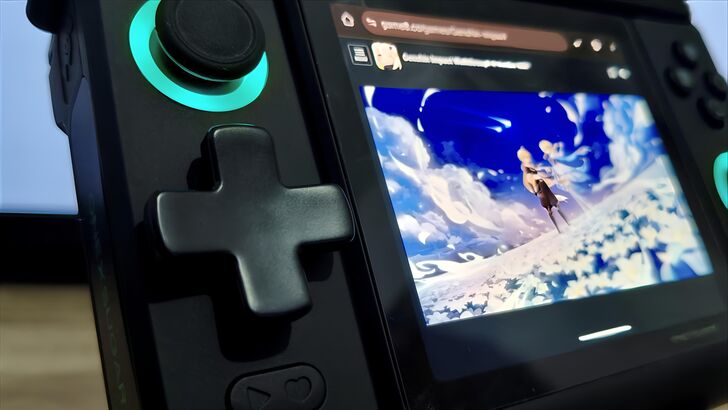
Magnetic D-pad aside, the hall-effect thumbsticks and microswitch face buttons feel solid and smooth. They’re clicky without being mushy, and precise under pressure.
It is worth noting that the prototype we received might not be indicative of the final feel, as One Netbook has emphasized that they will be optimizing the buttons, joysticks, and shoulder keys in the retail version.
A Multitasking Beast of a Gaming Handheld
What is the point of a handheld if it doesn’t handle well? Thankfully, the OneXSugar Sugar 1 is packing some serious firepower. Under the hood sits the Qualcomm Snapdragon G3 Gen 3, an octo-core Kryo CPU paired with an Adreno A32 GPU, which offers about 30% and 28% GPU gains over the previous generation. Powering that is 16GB of LPDDR5X RAM and 512GB of storage.
In simpler terms, this thing is a beast! You can run Genshin Impact, Wuthering Waves, and even Love and Deepspace in their highest settings with framerates that makes my phone jealous. Loading screens also often feel like PlayStation 5 levels of fast.
In fact, I was able to push the device to run two top-tier mobile games simultaneously, playing Genshin Impact on the main screen while autobattling in Honkai: Star Rail on the bottom.
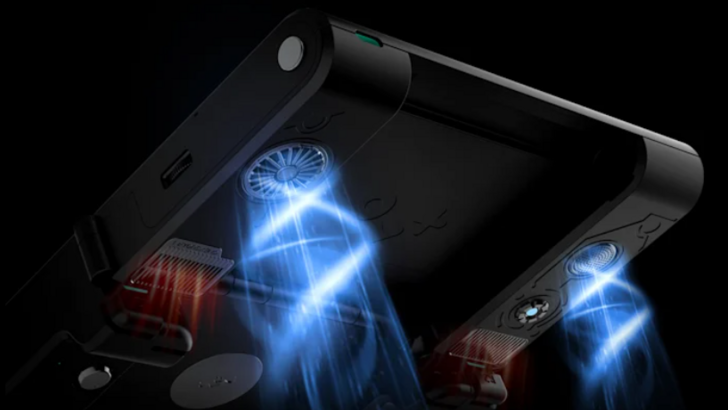
Pushing both screens and its chipset to full tilt does produce heat, though, especially around the vents located near where your index fingers rest in dual-screen mode. It never got unbearable, and I didn’t hear the fans whining, but I definitely felt warmth creeping into my hands as sessions dragged on.
And other than the occasional frame drop, it held up remarkably well. Obviously, for a smoother gameplay experience, dialing the settings down a notch will help significantly, but the ability to do it at all is impressive.
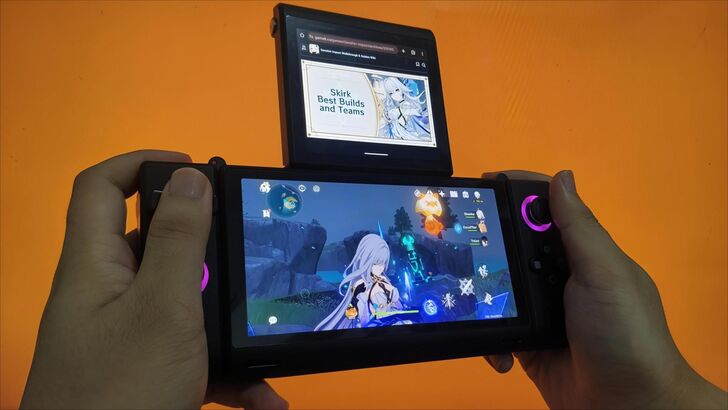
As technically amazing as it is, that’s a pretty niche situation to be in; unless you’re catching up on your gacha dailies, I doubt many would use the Sugar 1 to play two games at the same time.
But doing so is just to prove its multitasking prowess. Instead of a second game, you could instead watch a YouTube video, chat on Discord, or follow along with a Game8 guide on the smaller screen while your game runs on the main display. And for those of us who are ADHD-inclined, you can read on your Kindle app on one screen while having Subway Surfers running on the other.
The use-cases that come with this kind of flexibility are plentiful. In fact, its utility is so impressive that I can’t imagine going back to my old habit of juggling two phones just to follow a guide. Yes, I do that all the time. No, it’s not a fun set up.
Powering that kind of performance is a 5,600 mAh battery. In day-to-day use, my results ranged from about 2 hours of gaming on both screens to roughly 6-8 hours of moderate single-screen gaming and browsing.
By contrast, a Steam Deck normally delivers 4-8 hours of playtime depending on settings; the AYANEO Pocket DS hovers around similar numbers; and the new Switch 2 tends toward 2-5 hours under heavy load. So the OneXSugar Sugar 1 is competitive. If, however, you’re pushing two games at once, expect to tether to a charger sooner than not.
Is OneXSugar Sugar 1’s Price Worth It?
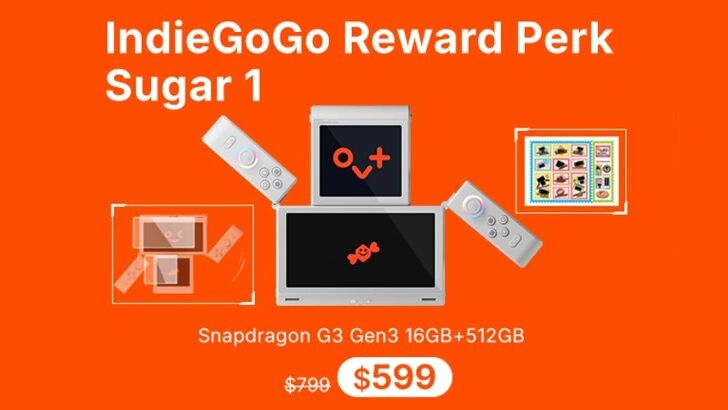 ⚫︎ Note: Image from OneXSugar Sugar 1 Indiegogo Page
| Pros | Cons |
|---|---|
 Dual-Screen Mode is Perfect for Multitasking Strong Performance Build Feels Durable for a Prototype Hall-Effect Thumbsticks and Buttons Feel Responsive Dual-Screen Mode is Perfect for Multitasking Strong Performance Build Feels Durable for a Prototype Hall-Effect Thumbsticks and Buttons Feel Responsive |
High Price Point Awkward Ergonomics Magnetic D-Pad Feels Clunky Looks and Feels Overengineered |
The OneXSugar Sugar 1 launches on Indiegogo with an early bird price of $599, set to retail at $799. Even at the discounted price, it feels a bit expensive when you look at the handheld gaming market as a whole. For instance, the Steam Deck OLED is a strong option at $549, while the ASUS ROG Ally comes in at around $699.
However, it might be a bit disingenuous to compare it to those, as the experiences for those devices are wildly different. A more apt comparison would be other Android-based handhelds running similar hardware. Take the AYANEO Pocket S2 and S2 Pro, which retail between $499 and $759 depending on configuration, or the AYN Odin 2, which is considerably cheaper starting at $289, though it’s also less powerful. Both, however, stick to a single-screen design, which naturally keeps costs lower.
The Sugar 1’s conceptual rival at the moment is the AYANEO Pocket DS, another dual-screen Android handheld, which retails at $1,139. By that metric, the Sugar 1’s pricing seems a lot more reasonable. But being relatively reasonable doesn’t change the fact that its price point has my wallet wincing, especially when you consider that high-end smartphones land in the similar $800-$1,000 range and offer far more practical use cases than a gaming-focused device.

But the Sugar 1 isn’t really trying to win the price-per-power argument. Its value proposition is in its uniqueness. And that’s where things get complicated. This is a device that feels, for better or for worse, overengineered. It does many things right, but it also packs so many of those "nice to haves" than sticking to just the "must haves."
I certainly understand where the price comes from. The engineering alone—the hinges, magnets, and rotating controls—could not have been cheap to execute. It’s a niche product built for a niche audience, and that audience will probably see the value. But for everyone else, the cost of admission feels steep, even for a luxury item.
The answer, really, to whether it’s worth buying or not depends on who you are. If you’re a hardcore mobile gamer who lives for multitasking, plays multiple gacha titles daily, and wants something to show off to friends, this might be the unicorn you’ve been waiting for. If you’re into cloud gaming, you’ll still benefit from the dual screens for multitasking and media.
Casual players, though, I feel, are better off sticking with a Switch 2 or a Steam Deck and saving a few hundred bucks in the process.
Personally, the Sugar 1 feels like a device that dares to be different, and I respect that. It’s an audacious device in a market full of boring rectangular slabs, and these kinds of devices don’t get the love they deserve. It’s too overpriced and overengineered to make it in the mainstream, but it absolutely lives up to being the most interesting Android handheld in the market right now. Whether that sweetness is worth the price is entirely up to you.