





| Sid Meier's Civilization VII | |||
|---|---|---|---|
| Release Date | Gameplay & Story | Pre-Order & DLC | Review |
Civ 7’s Deluxe Edition release has only been out for a day and the internet’s already abuzz about its UI and other pitfalls, but is it truly that bad? Read on to learn more as we break down the game’s UI elements and discuss if it’s as the internet says.
← Return to Sid Meier's Civilization VII main article
Is Civ 7's UI as Bad as They Say?

Civ 7 has barely been out for a day for those who picked up the Deluxe and Founder’s Editions, and it’s already catching flak—particularly for its seemingly awful UI (among other missing quality-of-life features). While it’s tempting to jump on the bandwagon, it’s worth taking a step back and critically assessing whether the UI is truly as bad as people claim. The best way to do that? Break it down piece by piece and see if it meets the standards of a good—or at least effective—4X interface.
What Makes a Good 4X UI?

While many argue that there are objectively good ways to design a 4X UI, the reality is more nuanced. Depending on a game’s context, style, and objectives, not every rule applies universally, and UI design often needs to be assessed on a case-by-case basis. That said, visual design experts have long studied the common denominators among some of the industry’s best 4X UIs, identifying elements that generally work across most games.
With that in mind, let’s put Civ 7’s UI to the test and see how it holds up against what most in the industry and community consider to be the most important elements of good UI design for 4X games in particular.
Clear Information Hierarchy

Clear information hierarchy refers to how a UI structures its data in a way that prioritizes accessibility and importance to gameplay. In 4X games, commonly used resources and mechanics should be front and center, while less critical or niche features should remain accessible within a few clicks. A good UI doesn’t need to display everything at once—it just needs to organize information in a way that makes sense for both the player and the game.
A strong example of clear information hierarchy can be found in Against the Storm’s building info menus. When right-clicked, every building opens a pop-up menu that allows players to adjust its parameters. This menu is divided into multiple tabs, each organizing information based on relevance and frequency of use.
The default tab focuses on the most common actions players take when selecting a building—assigning and unassigning workers, setting production parameters and priorities, and adjusting production limits. Other tabs contain less frequently used features, such as inventory management, manual deliveries to the storehouse, and the ability to remove stocked materials. The final tab is dedicated to the Rainpunk system, a late-game mechanic that most players won’t need to interact with until they’ve progressed significantly.
Let’s put Civilization VII’s resource rundown UI to the test and see how well it holds up. The short answer? It works—but not as effectively as it could.

The summary menu displays resource allocation across your entire empire, neatly separating data into income, yields, and expenses via dropdown menus. Arranged in a table format for easy tracking, it also offers detailed, district-by-district and city-by-city breakdowns within each dropdown. The layout is structured well enough, and the menu can be collapsed without requiring additional navigation.
The main drawback, however, is its lack of deeper specificity. While you can see how much a particular resource is coming from Rural Districts, the UI doesn’t clarify which specific district—or even which hex—is generating what. Additionally, there’s no comprehensive breakdown of expenses beyond unit upkeep, leaving other costs unaccounted for.
Overall, Civ 7’s resource UI isn’t the most effective, but it’s far from useless. It does its job, but a little more granularity would go a long way.
Other Civilization 7 Featured Articles
 |
Civilization 7's upcoming roster is redefining what it means to be a leader , but that standard has been changing since the series first began. |
 |
Civilization 7's Crossroads of the World DLC is just begging to have its new Leaders, Civs, and Wonder predicted, so here's what we think is incoming for Civ 7's first DLC. |
Effective and Efficient Visual Indicators

Effective and efficient visual indicators refer to icons and other graphical elements that convey information at a glance—without relying on words or numbers. A well-designed UI should use symbols, colors, or overlays to quickly communicate important data, making it easier for players to process information without needing to read through extensive menus.
Take Stellaris, for example. While its overall UI is often criticized for being cluttered, its Outliner—a customizable summary screen on the side—demonstrates strong use of visual indicators. At a glance, players can tell whether their survey ships are in transit, in orbit, actively scanning, or missing. Similarly, small icons next to planet and habitat names provide instant insight into what each colony needs, reducing the need for extra clicks.

Civ 7, on the other hand, leans more heavily on iconography and numerical breakdowns for resources but still features some effective visual indicators. Notable examples include the tile yield overlay, which visually displays resource availability on each tile; the settlement overlay, which color-codes hexes based on their viability for founding a city; and the settlement expansion screen, which distinguishes tiles by whether they are rural, urban, or unsuitable for development.
The biggest gripe players have with Civ 7’s visual indicators is the absence of certain lenses that Civ 6 had. However, it’s worth noting that most of the missing lenses correspond to features unique to Civ 6, such as appeal, tourism, and loyalty. The lack of customizable map pins has also been a sore point for many players. Ultimately, while Civ 7 isn’t terrible in this regard, it’s clear that there’s room for improvement.
Searching, Filtering, and Sorting Options

Even with well-organized menus and dropdowns, certain 4X games inevitably reach a critical mass of visual clutter. That’s where searching, filtering, and sorting options become essential, allowing players to control what information is displayed and in what context. These features can take the form of search bars, visual filters, or sort-by buttons, all of which help streamline navigation and reduce frustration.
For a prime example, look no further than Civ 6, which includes an exceptionally useful search function. Players can scour the entire map for specific resources, yields, tiles, units, or tile features, with the game highlighting or even snapping to their location for easy identification. Additionally, Civ 6’s built-in archive, the Civilopedia, links each entry to its in-game instance—allowing players to jump between the reference material and actual map elements seamlessly.

Unfortunately, this search function is entirely absent from Civ 7, and many players consider it one of the biggest failures of the new UI. Given the sheer scale of Civ 7’s gameplay, I have to agree—its absence is a noticeable hit to usability. Hopefully, Firaxis will add it in a future update, ideally alongside more functionality for the Civilopedia to make navigation even smoother.
Design and Visual Consistency

And with all that, we finally arrive at one of the biggest criticisms against Civ 7’s new UI: its design and visual consistency. As the player's primary way of interacting with the game, the UI’s aesthetic quality and cohesiveness play a crucial role in how well it’s received. No matter how polished the gameplay may be, an unappealing UI can detract from the experience simply because it’s the one element that ties everything together.
For an example of a beautifully thematic and effective UI, Civ 6 stands out once again. Its dynamic, cartographical style gives the interface a tactile quality, blending seamlessly with the game’s overall aesthetic. It feels like an organic extension of the experience, complementing everything from the cartoony leader designs to the menu layouts, Civilopedia, unit icons, and even the trade screen. It’s one of Civ 6’s strongest aspects, reinforcing the game’s identity at every turn.

Civ 7, on the other hand, takes a different approach. Where Civ 6 was vibrant, dynamic, and full of grandeur, Civ 7 leans into a more minimalist, sleek, and sophisticated design—opting for regality and refinement over colorful fanfare. In that sense, the simplified iconography and restrained color palette make sense as deliberate choices that align with the game’s overall aesthetic.
It doesn’t look cheap, nor does it feel like an amateur job—black and gold are strong complementary colors that work well together, even more so if used to accent rather than hallmark. However, Civ 7’s UI is less visually forward, and its thematic direction is more subtle, making it harder for some players to connect with. This lack of immediate clarity has led to mixed reactions. Of course, everyone is entitled to their own opinion, and in the end, visual design—UI included—is always subjective.
So What’s the Verdict?
It’s Not The Best, But Undeserving of Such Disapproval

In the end, based on the criteria outlined above, I’ve concluded that Civ 7’s UI—while neither the best nor the most refined—isn’t nearly as bad as many make it out to be. It’s missing key features, most notably an all-important search function, but it’s hardly a game-breaking flaw. Compared to some of the game’s more pressing issues, the UI’s shortcomings feel minor. It does put Civ 7 at a disadvantage against other, more visually striking and efficient 4X UIs, but it still has strengths worth recognizing.
I’m not a pioneer or a leading voice in visual design, nor do I claim to be an expert on video game UI, but I know what works for me and why. As far as Civ 7’s UI is concerned, it gets my vote. The rest of the game is strong enough to make up for its imperfections, and with a few updates and player feedback, it may eventually win over more of its critics. But even now? I don’t think it’s nearly as bad as people say.
← Return to Sid Meier's Civilization VII main article
You May Also Like...

 |
Sid Meier's Civilization 7 is the latest addition to Sid Meier's storied 4X strategy series, featuring new leaders and eras! |
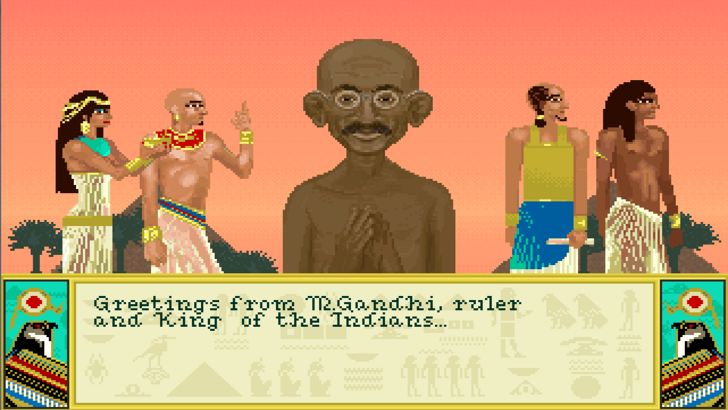 |
Civilization's "Nuclear Gandhi" urban legend is one of gaming's most famous, but was it ever real? A deep dive into its history reveals that might not be the case. |
 |
Lies of P is actually a Christmas game. Mind you, not just any Christmas game, but the greatest one of 2023. |
 |
Palworld just released and everyone’s calling it a Pokemon clone already, but how similar are they really? Here’s a list of Pals that look the most like Pokemon |











... u can tell the writer spends an unhealthy amount of time playing 4X games. great read doe