



PS5 has introduced system updates about social and user experience enhancement. Learn more about Discord integration, screen sharing, improved refresh rate, data transfering, and voice command.
New Social Features on PS5 Consoles
Linking Discord to PlayStation Network

PS5 is becoming far more social with the integration of Discord Voice Chats. Players can now join Discord voice chats and chat with friends on the platform. Players must link their Discord and Playstation Network accounts from the PS5 console, PlayStation.com, or the Discord app on Windows, Mac, or mobile devices to do so.
Screensharing with Friends - A New Era of Split-Screen Gaming
Players can now request the Share Screen option to share their screen with a friend directly from their profile. This allows friends to have a game essentially do split-screen gaming sessions with each other while playing. This is also perfect for streamers when they do collaboration streams.
New Join Game Icon in Party Chats and New Friends Who Play Tile
PS5 included a new Join Game icon so party members can join when you play the game and vice versa. New Friends Who Play is a display tile that allows you to know who is currently playing the game and who is online, and you can also access your friends' profiles and other interaction options.
User Experience Enhancements
Enhanced Refresh Rates
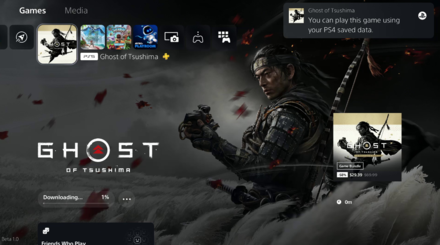
With the PS5's Variable Refresh Rate support for 1440p, players can now have a smoother visual performance when playing games that support VRR on a VRR-compatible HDMI 2.1 display at 1440p resolution. Players can also sort and filter games in the Game Library, making finding PS VR or PS VR2 titles easier. Multiplayer Session Preferences have been improved by adding Game Presets, allowing players to manage who can join and invite players to multiplayer sessions.
Data Transfers & Screen Reader
Data transfer between PS4 to PS5 and PS5 to PS5 has also been improved, with an option to download selected data. Screen Reader now provides more detailed guidance when navigating the console, and the Dual Sense wireless controller device software can be updated wirelessly.
Voice Commands
A beta preview of Game Capture Using Voice Command is now available, allowing players to save gameplay video clips by using voice commands. However, this feature is only available in the US and UK and has limited release.
An Emphasis on Social Gaming
The updates focus on improving the social and communication aspects of the PS5 console, making it more enjoyable for groups of players to use together.
These updates focus on enhancing the user experience and making the PS5 console more navigation-friendly and group-friendly, ultimately contributing to a more enjoyable and immersive gaming experience.